84
Converting Analog Signals into
Digital Signals (Analog-Digital Converter)
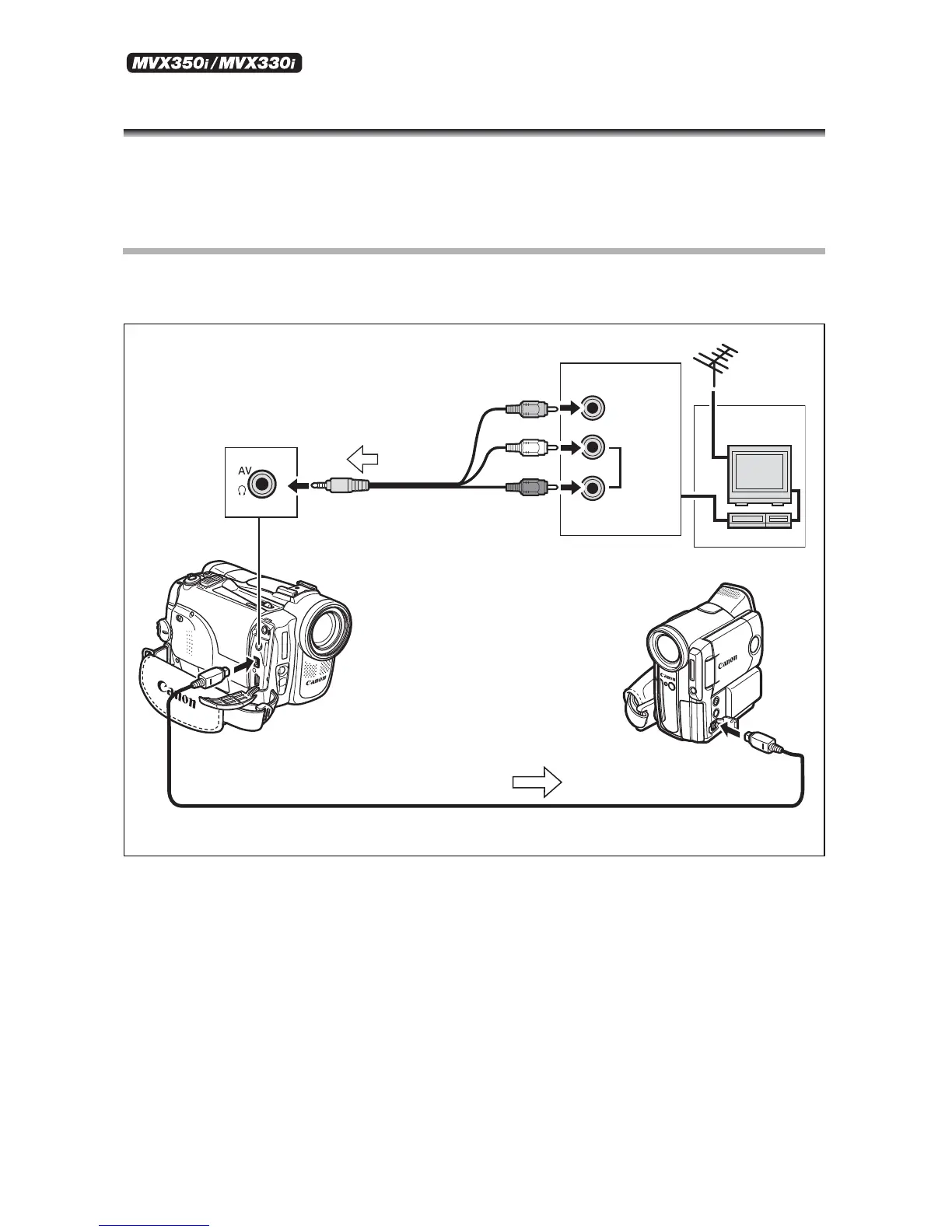
By connecting the camcorder to a VCR or 8mm video camcorder, you can convert analog
video/audio signals to digital signals and output the digital signals via the DV terminal.
The DV terminal serves as output terminal only.
Connecting the Devices
Turn off all devices before starting the connections. Unload the tape from the camcorder.
Refer also to the instruction manual of the connected device.
AUDIO
VIDEO
R
L
Signal flow
Commercially available DV cable
Signal flow
STV-250N Stereo Video
Cable (supplied)



 To Next Page