Installation
2
22 23
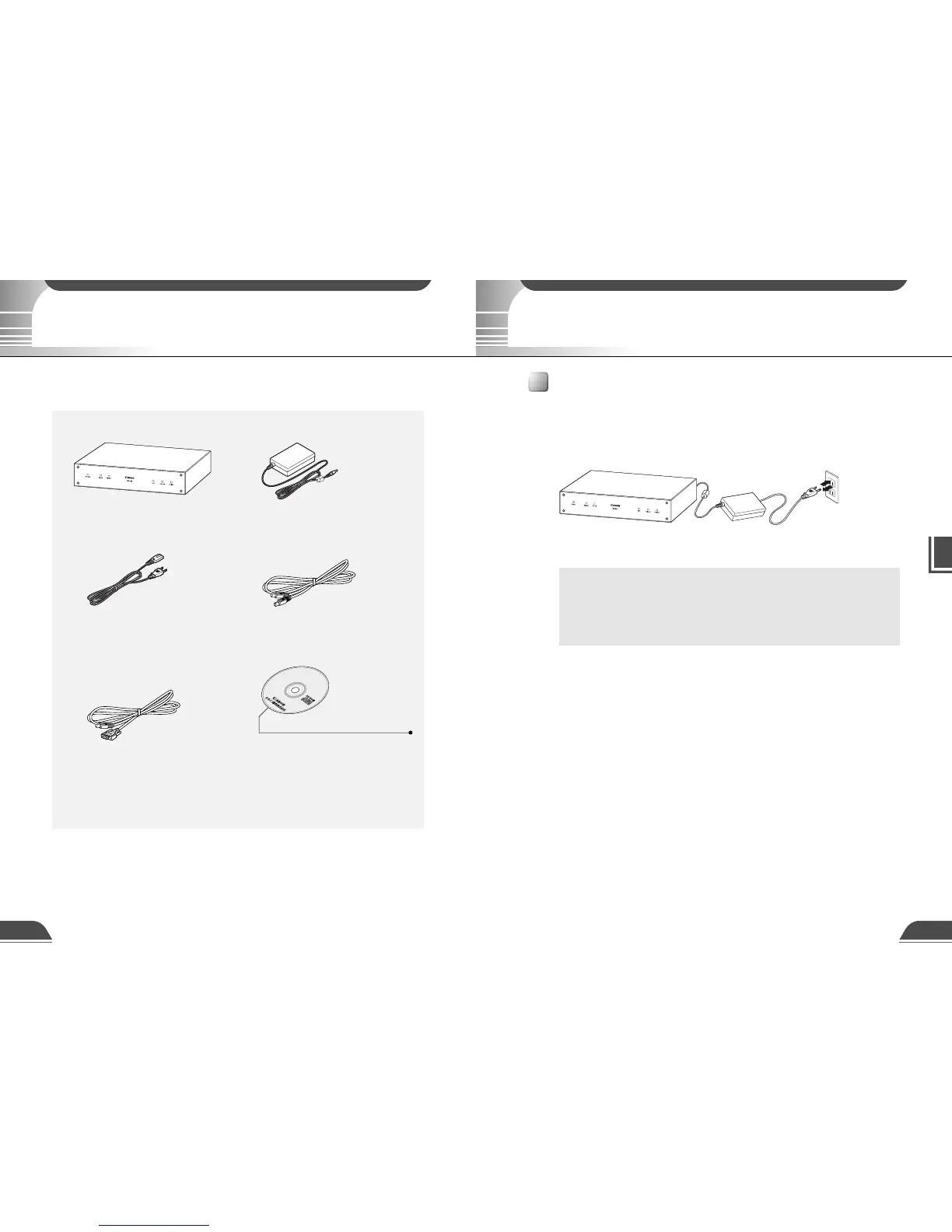
AC Outlet
AC cableAC adapterVB101
* The cable length may differ depending on the
country in which the product was purchased.
1. VB101 main unit
Package Contents
2. AC Adapter PA-V16
3. AC cable (1 meter
3 ft.
3
/32 in.) 4. RS-232C cable (miniDIN-miniDIN)
● For camera control, 3 m (9 ft. 10
3
/32 in.)
5. RS-232C cable
(miniDIN-Dsub9pin Female sub)
● For setup, 3 m (9 ft. 10
3
/32 in.)
6. CD-ROM
7. Users Manual (This document)
8. Warranty Card
CD-ROM contents
ReadMe
VB101 Initial Setup Tools
Factory Default Setup Tools
Administrator Viewer
Remote Firmware Upgrade Utility
Internal File System
Webview Livescope Helper Viewer version 3.1
Webview Livescope Viewer User's Manual (PDF file)
The VB101 package contains the following items. If any of these items is missing, contact the
retailer from which you purchased the product.
Precautions for use
● Refer also to the enclosed ReadMe file. The ReadMe file may contain
important information not included in this manual. Be sure to read this file.
● If the VB101 will not be used for some time, unplug the AC adapter from
the power supply.
c
Note
The VB101 has no power switch. To switch the VB101 off and on, unplug the AC adapter. When
you unplug the AC adapter from the VB101, wait at least 5 seconds and then plug the AC adapter
to the VB101. Be sure to observe the precautions given in "aImportant Safety Instructions".
Precautions for Switching the VB101 On and Off



 To Next Page