Creating Web Pages
4
70 71
Displaying Bitmap Images
on the Video Screen
Sample transparent GIF
<param name=superimpose value="/logos/newlogo.gif,x,y*">
Specifying the Background Color
<html>
<body bgcolor=#cccccc>
<applet codebase=http://...code="LiveApplet.class" width=450 height=380>
<param name=url value="http://
192.168.100.1*">
<param name=bg_color value="#cccccc">
</applet>
</body>
</html>
* The underlined portion is a sample IP address. Enter the actual IP address of the camera server.
* "x,y" specifies the display position. When x,y = 0,0, the image is displayed in the top left corner. If "x,y" is
omitted, the image is displayed in the center of the frame.
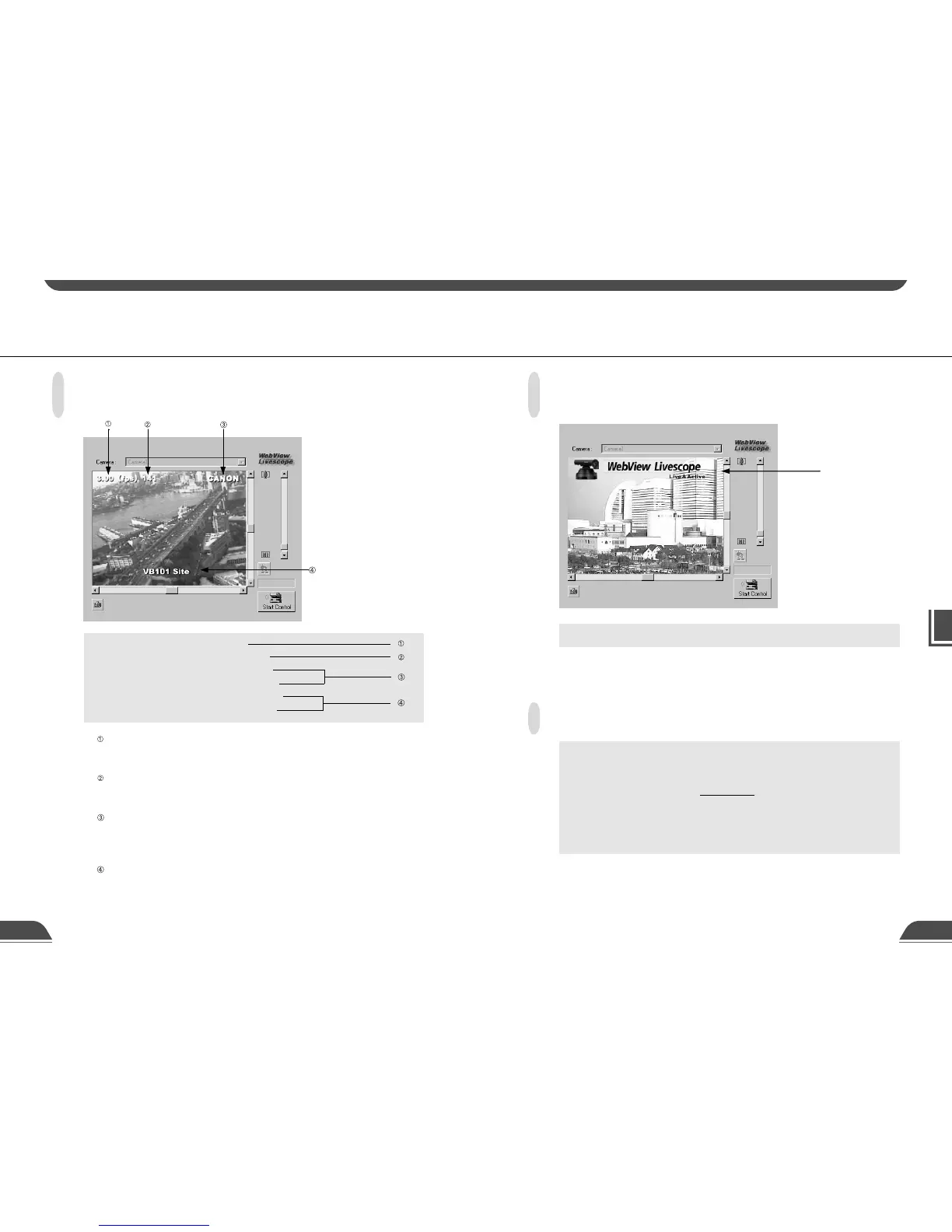
Displaying the Host Name,
Frame Count and Other Information on the Video Screen
<param name=show_fps value="on">
<param name=show_counter value="on">
<param name=hostname value="CANON">
<param name=show_hostname value="on">
<param name=comment value="VB101 site">
<param name=show_comment value="on">
specifies whether the frame rate is displayed on the screen.
"on": Displayed.
"off": Not displayed.
specifies whether the frame count is displayed on the screen.
"on": Displayed.
"off": Not displayed.
specifies the host name (any text string) to be displayed on the screen and whether the
host name is displayed.
"on": Displayed.
"off": Not displayed.
specifies a comment to be displayed on the screen and whether the comment is displayed.
"on": Displayed.
"off": Not displayed.
Using a Java Viewer to Transmit Video Images Using a Java Viewer to Transmit Video Images



 To Next Page