Creating Web Pages
4
68 69
Modifying the Startup and Disconnection Screens
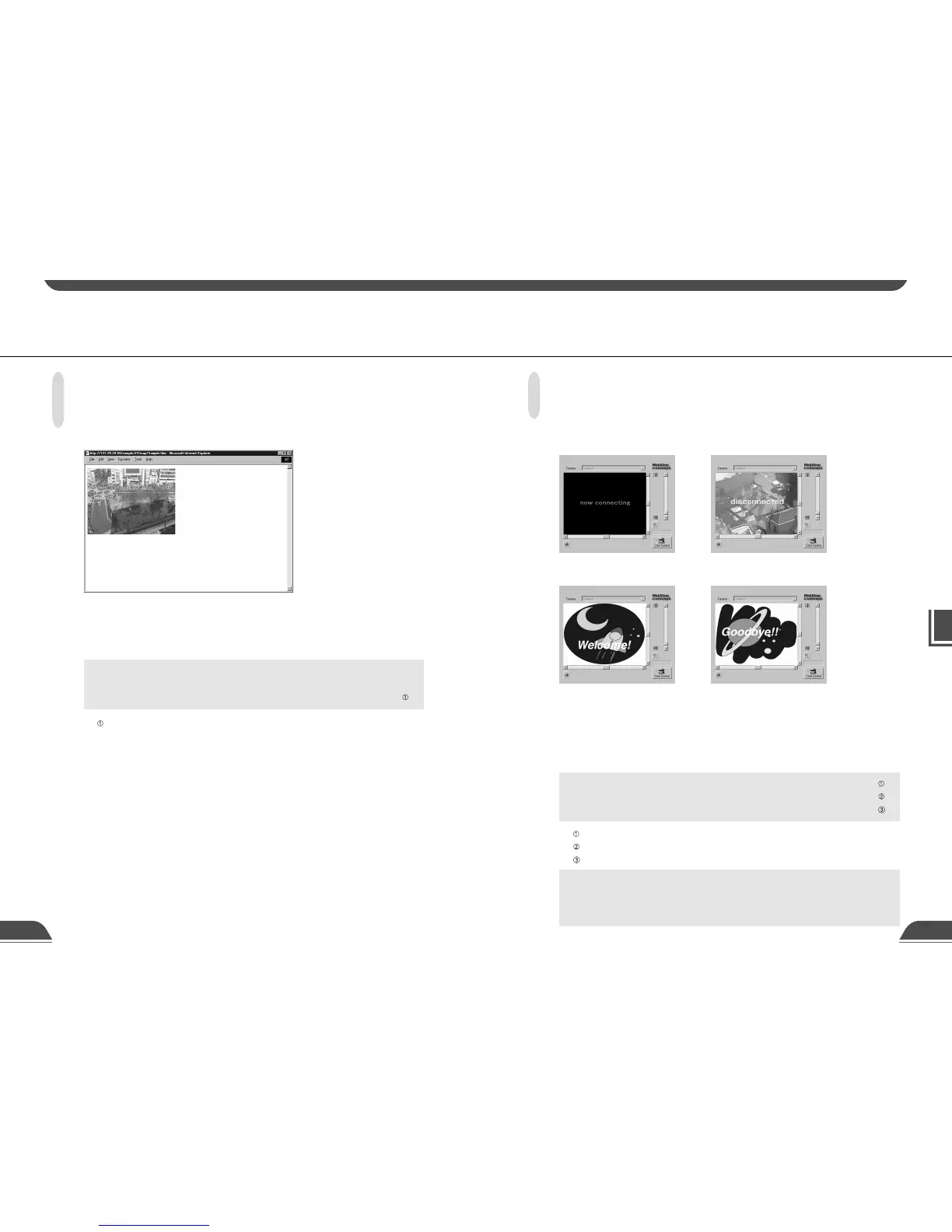
You can modify the image files (JPEG or GIF image files) shown in the startup and disconnection screens.
Nothing Selected
■Startup screen ■Disconnection screen
Certain Images Selected
■Startup screen ■Disconnection screen
<param name=open_image value="/opt/images/opening.jpg"> ......................
<param name=open_image_time value="3000"> ..............................................
<param name=close_image value="/opt/images/closing.jpg">.......................
specifies the file name for the startup image screen.
specifies the display time for the startup image screen (in milliseconds).
specifies the file name for the disconnection image screen.
c
Note
You must use the path name (name that begins with "/") to specify the URL
for the image file displayed.
(→ See step 3 on P.25.)
If no particular image is specified, the "connecting to hostname" (when the hostname parameter is
specified) or "now connecting" animation is displayed at startup and the "disconnected hostname"
(when the hostname parameter is specified) or "disconnected" is displayed at disconnection.
You can modify the screens to show any image by providing images for the startup and disconnection
screens and setting the parameters. The image size is automatically adjusted to the size specified in
the video_width parameter. The display time for the specified screen at startup can also be specified.
Providing "LiveApplet" without Camera Control
This section describes how to create a Web page that only displays live video and has no camera
control GUI for situations where you want to prohibit camera control.
<applet ... omitted ... width=320 height=240>
<param name=video_width value="320">
<param name=controllable value="false">........................................................
specifies whether of not a user interface for camera control is displayed.
"true": Displayed.
"false": Not displayed.
Using a Java Viewer to Transmit Video Images Using a Java Viewer to Transmit Video Images



 To Next Page