55
Zooming
Zooming
To zoom in and out, you can use the focus/zoom ring, the zoom rockers on the camcorder and handle unit, the
supplied wireless controller or an optional RC-V100 Remote Controller, or the onscreen zoom controls.
In addition to the 15x optical zoom, you can use the > [v Camera Setup] > [Digital Zoom] setting* to
activate the digital zoom (300x) or the digital tele-converter, which allows you to enlarge the image on the screen
digitally.
* This setting is not available in mode or when > [v Camera Setup] > [Conversion Lens] is set to
[¿ WA-U58].
Using the Focus/Zoom Ring
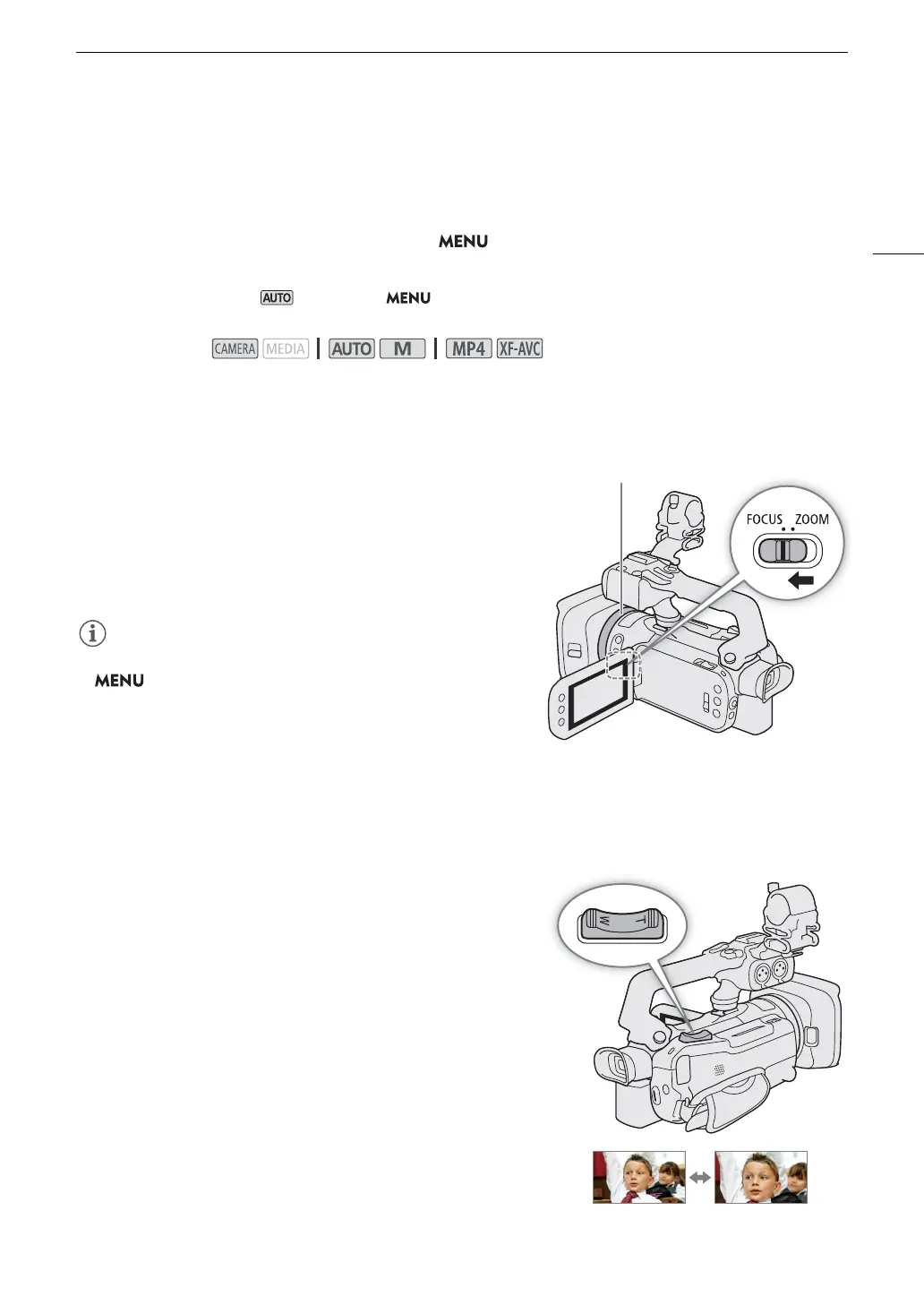
1 Set the focus/zoom ring switch to ZOOM.
2 Turn the focus/zoom ring to adjust the zoom.
• Turn the focus/zoom ring slowly for a slow zoom; turn it faster
for faster zooms.
• The zoom bar that appears on the screen indicates the
approximate zoom position.
• You can customize the operation of the focus/zoom ring with the
> [v Camera Setup] > [Focus/Zoom Ring Operation]
and [Zoom Ring Direction] settings.
• If you turn the focus/zoom ring too quickly, the camcorder may
not be able to zoom immediately. In such case, the camcorder will
zoom after you finish turning the ring.
Using the Grip Zoom Rocker
Move the grip zoom rocker toward T (wide angle) to zoom
out. Move it toward S (telephoto) to zoom in.
• You can set the zoom speed with the following procedure.
Operating modes:



 To Next Page