41
Recording Video and Photos
Onscreen Displays
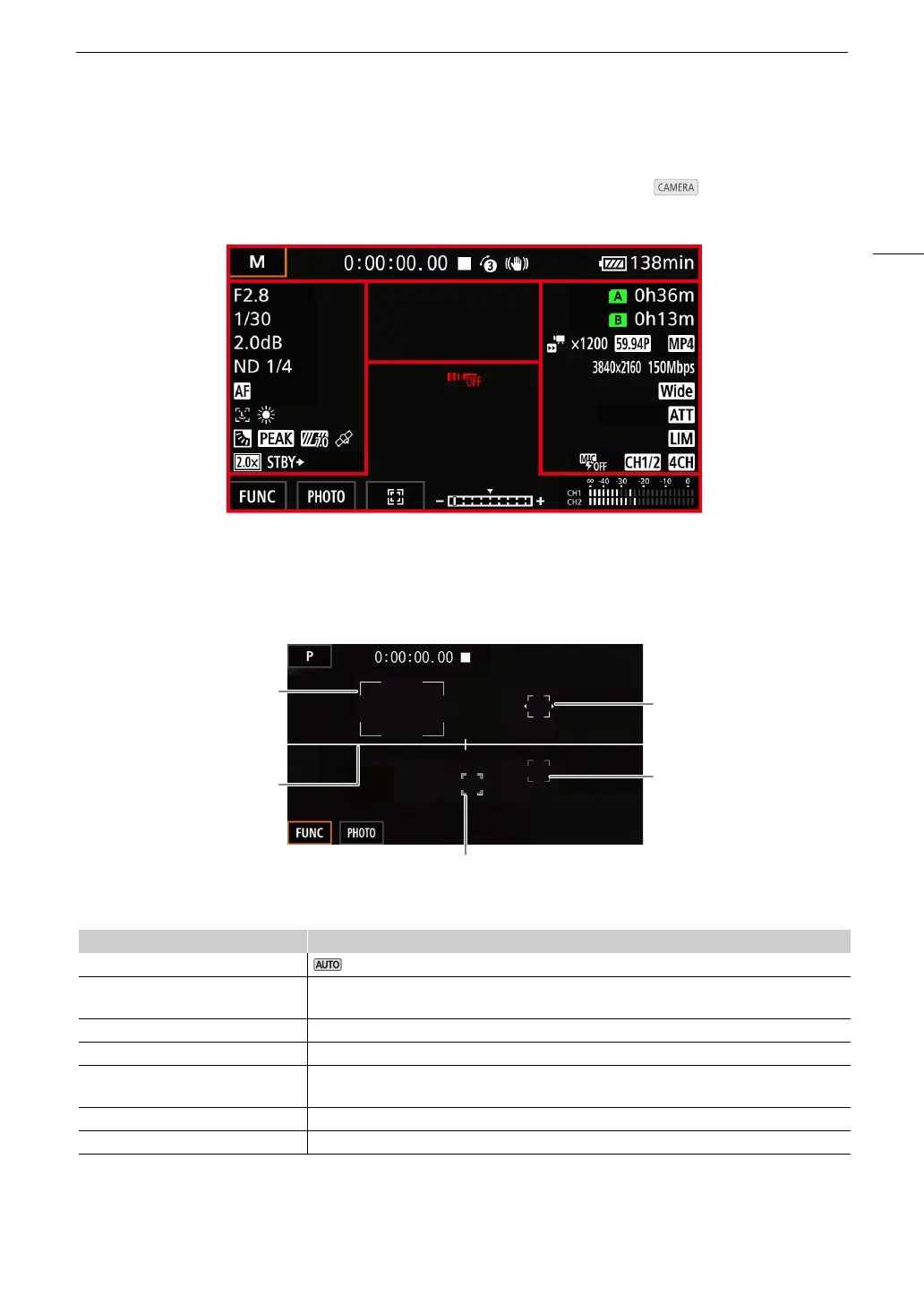
Refer to this section for an explanation of the various screen displays that appear in mode. The onscreen
displays that actually appear at any time will vary depending on the current menu settings and operating mode.
AF frames
Depending on the selected AF frame size (A 52) and focus function used, you may see some of the following
AF frames.
Top o f t he screen
Icon/Display Description
N mode (A 26 )
’, ‚, “, n, H, I, Q, K,
L, M, R, S, T
Shooting mode (A 63)
; Infrared recording (A 88)
00:00:00.00, 00:00:00:00 Time code (A 74)
Ñ, Ü (in red) Recording operation (A 37)
Ñ – record standby, Ü – recording
z Pre-recording (A 87)
¯,°,± (in yellow) Image stabilization (A 60)
Continuous AF frame – always in
white (A 52)
AF-Boosted MF frame – in yellow:
manual adjustment range; in white:
automatic adjustment range (A 51)
Face detection:
Main subject (A 53)
Face detection:
Other face detection frames
Tracking (A 53)
Onscreen marker (A 120)



 To Next Page