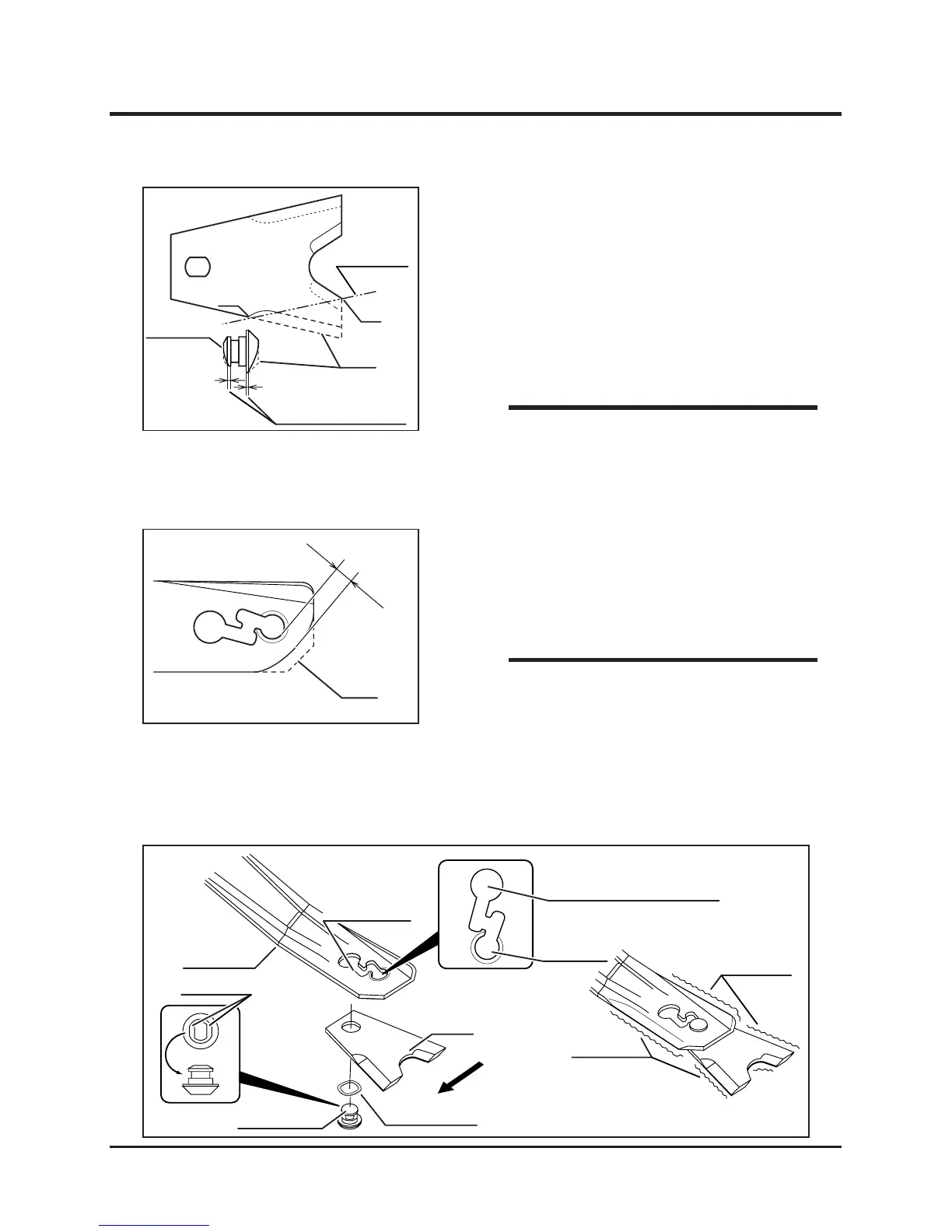
• Wear Limit
Blade: Up to line connecting A and B.
Blade pin: Up to either of the shoulder.
NOTE
3. Inspect cutting rotor stay. If blades or pin
are worn excessively, deformed or damged,
replace with a new component.
4. Close blade sheild.
• Wear Limit: Up to the solid line in the
left gure (should have more than 15mm
clearance between edge of rotor stay and
mounting slot.)
• Contact your CANYCOM representative for
replacement of rotor stay.
NOTE
1. Open cutting blade shield.
2. Visually inspect blades and pin for wear
and damage. If blades are
worn normaly,
turn them over and use. Replace if both
edges are worn. If blades or pin are worn
excessively , deformed, damged, or missing,
replace them with new components.
Inspecting
5331M-0508-020E
Blade
Rotating Direction
Flat Faces
Mounting Pin
Wave Washer
Mounting, Dismounting Hole
Wear Area
Mounting Slot
Lug-Hole
Rotor Stay
Hadle with care.
These part may become sharp.
Wear Area


 To Next Page