OPERATOR MANUAL |CAPTAIN 273 4WD 59
4.20 Parking brake
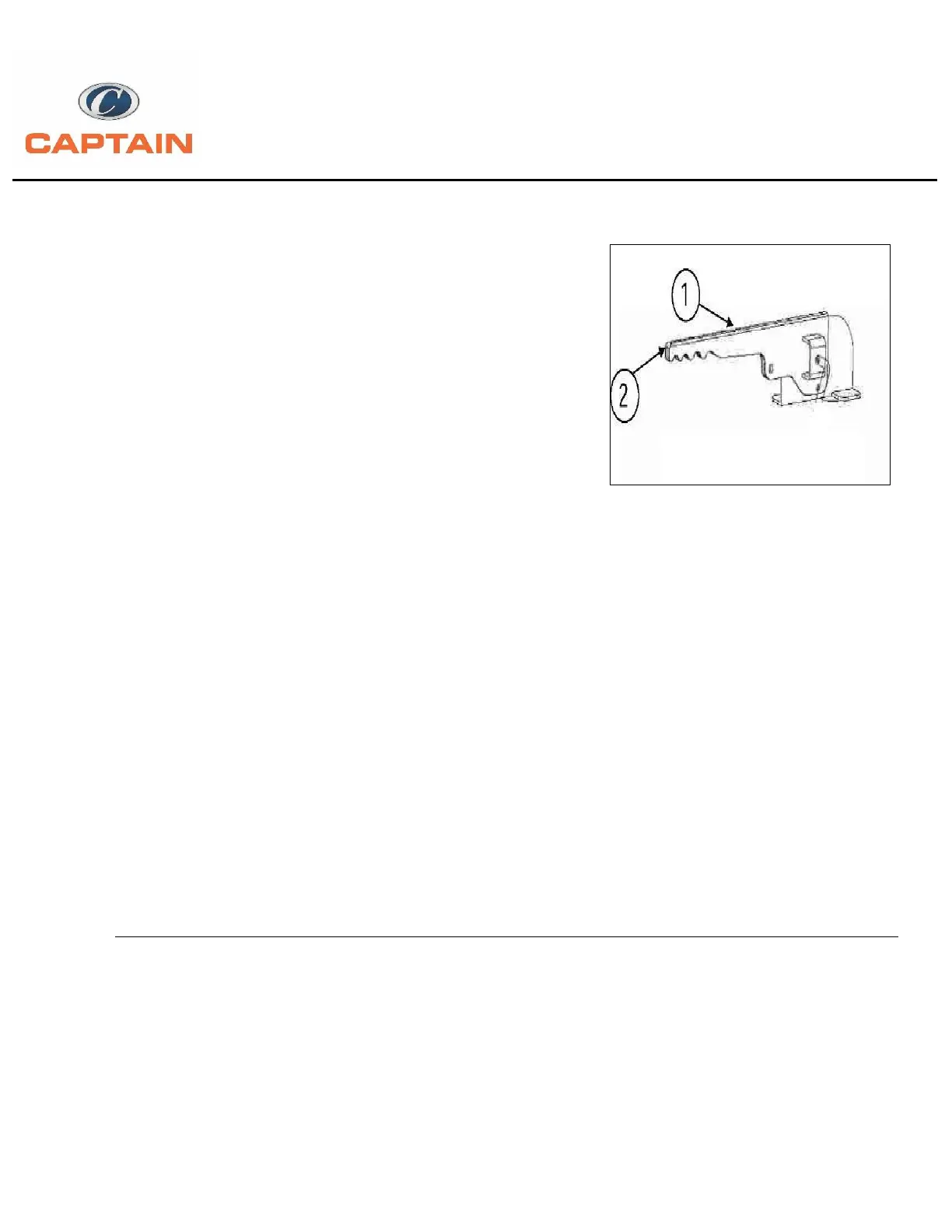
Pull the lever (Fig. 4.11) completely to operate the
parking Brake.
If this is not the case, pull the parking brake lever
with higher force.
* Note: The indicator light in the instalment panel lights up
when the parking brake is engaged, independently of the
force used for the engagement. Before starting the tractor, shift into gear and release the
parking brake.
4.21 Parking brake release:
-Press the brake pedal slightly, push down, let the Parking brake lever down and release it. (Fig.
4.11)
WARNING: Always engage the hand brake when the tractor is used for work at a standstill, even if only
for brief periods of time.
IMPORTANT: Driving the tractor with the parking brake partially engaged will cause damage to internal
transmission components. Make sure the brake is fully off.
4.22 Wheels and tyres:
Regularly check that the front and rear wheel nuts are fully tightened.
Tyre pressure must be checked and adjusted before using the tractor. Make further checks at
regular intervals.


 To Next Page