Manual
6
From the list of available ports, select the one you want the printer to use and confirm your selection
with Next. The next page of the Add Printer Wizard appears.
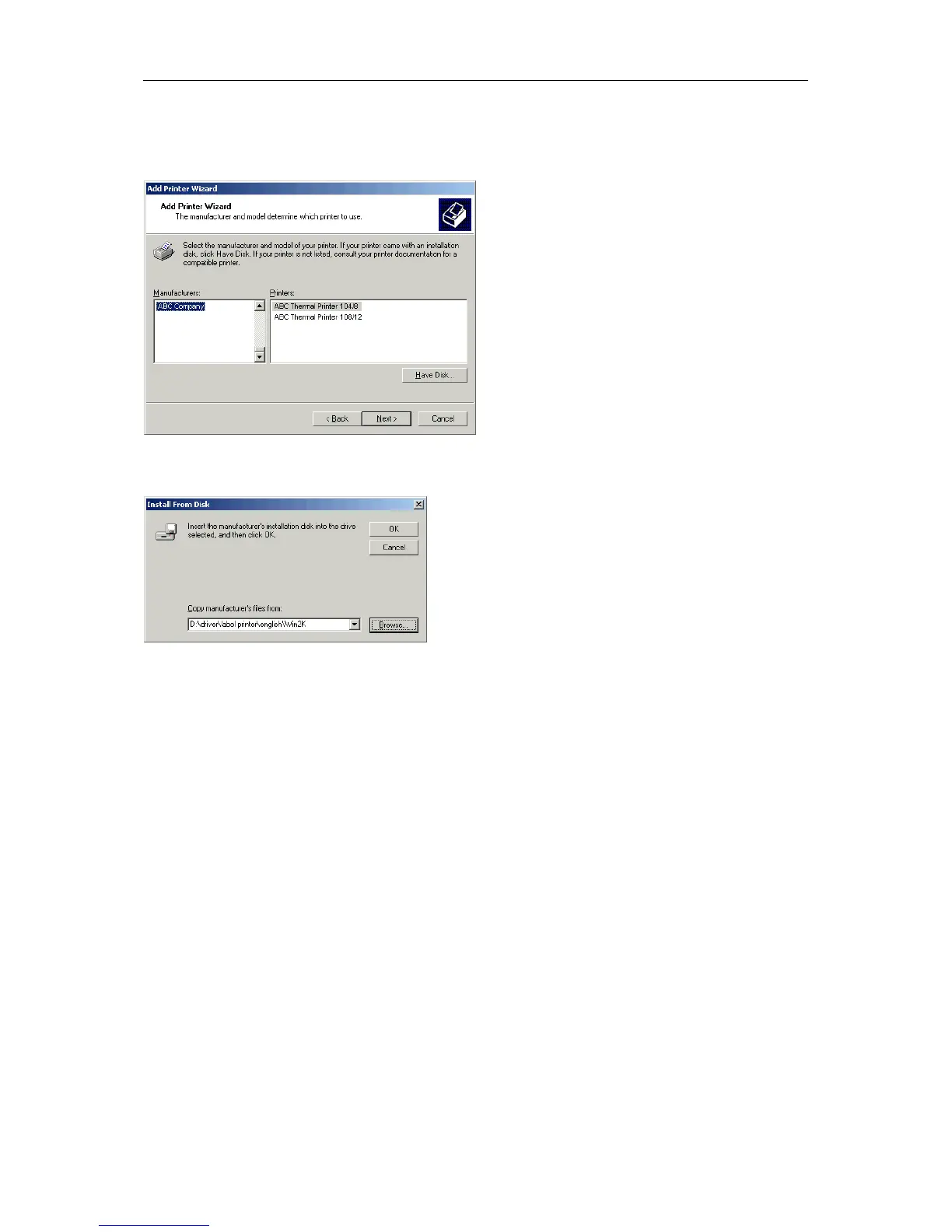
Insert the installation CD and then click the Have Disk button.
Click the Browse button and the Locate File dialog appears.
Double click the Driver folder and then select the desired printer.
After double clicking the desired printer you have the possibility to select one of the available
languages.
At this time you have the possibility either to select german or english.
Double click the Win2K (Windows 2000) folder.
Double click the *.inf file and you return to the Install From Disk dialog (see above).
Click the OK button and a list of available printers appears. Select the desired printer type and confirm
your selection with Next.
Click the Printer name field to enter another name as the already proposed one.
Follow the further instructions at the screen and data is copied from the installation CD into the
corresponding directory.
After termination of this procedure the printer is add to the list of Available printers and the
installation is finished.


 To Next Page