Manual
19
OPTION CUTTER
There is danger by moving parts. Keep away fingers and other parts of body!
Installation of cutter unit
Remove mains plug from shockproof socket in order to separate printer completely from
power line, otherwise there is a risk to life and limb from the live wires inside the open
printer.
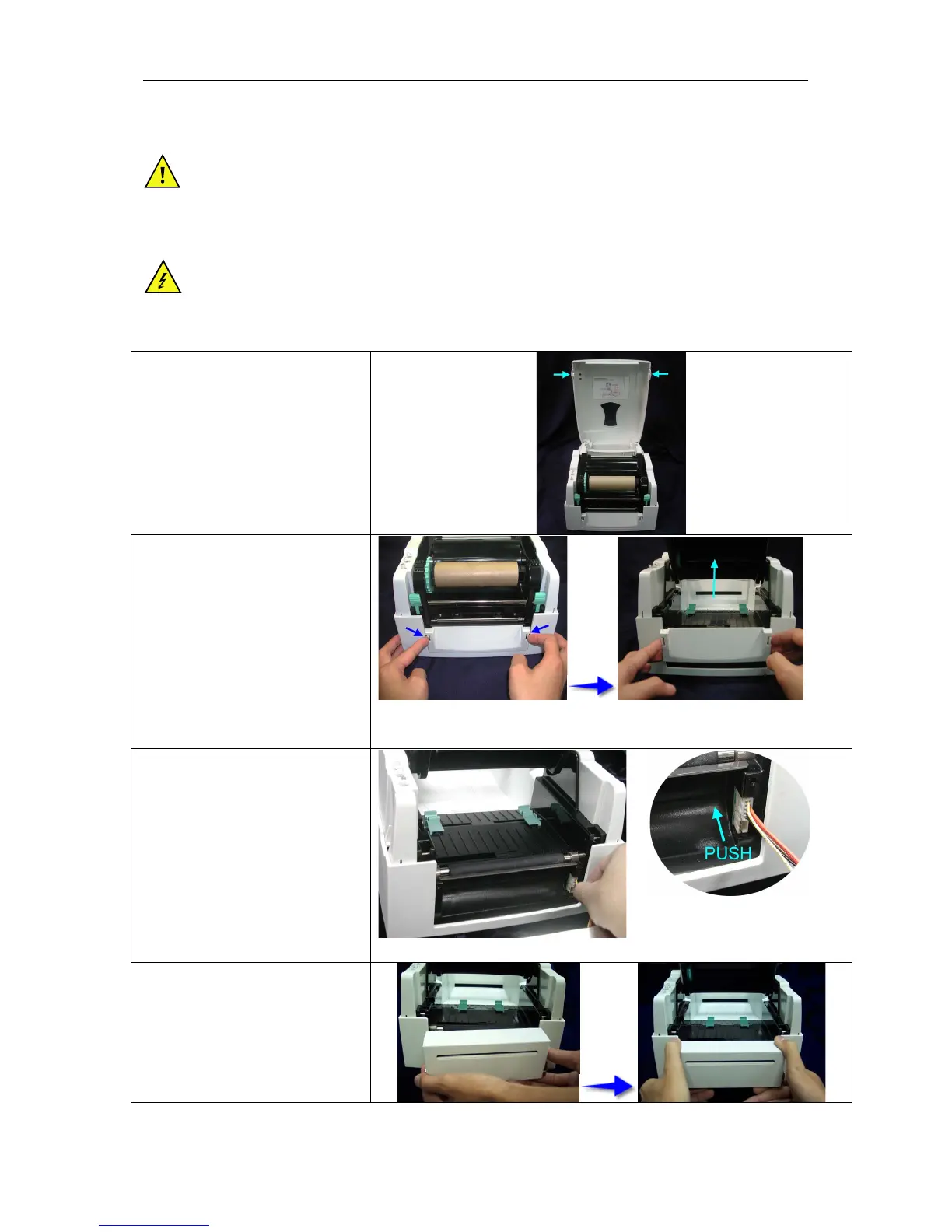
Open the top cover by pressing
the cover open buttons on both
sides.
Push the front piece button inward
to open.
Lift/take off the front cover piece
according to the direction shown.
Open the mechanism by pressing
the locking tenon, plug in the
cable connector of the cutter
module onto the switch board
socket.
Clip in the right side of the cutter
module first and then secure the
left side.


 To Next Page