Manual
3
Windows NT
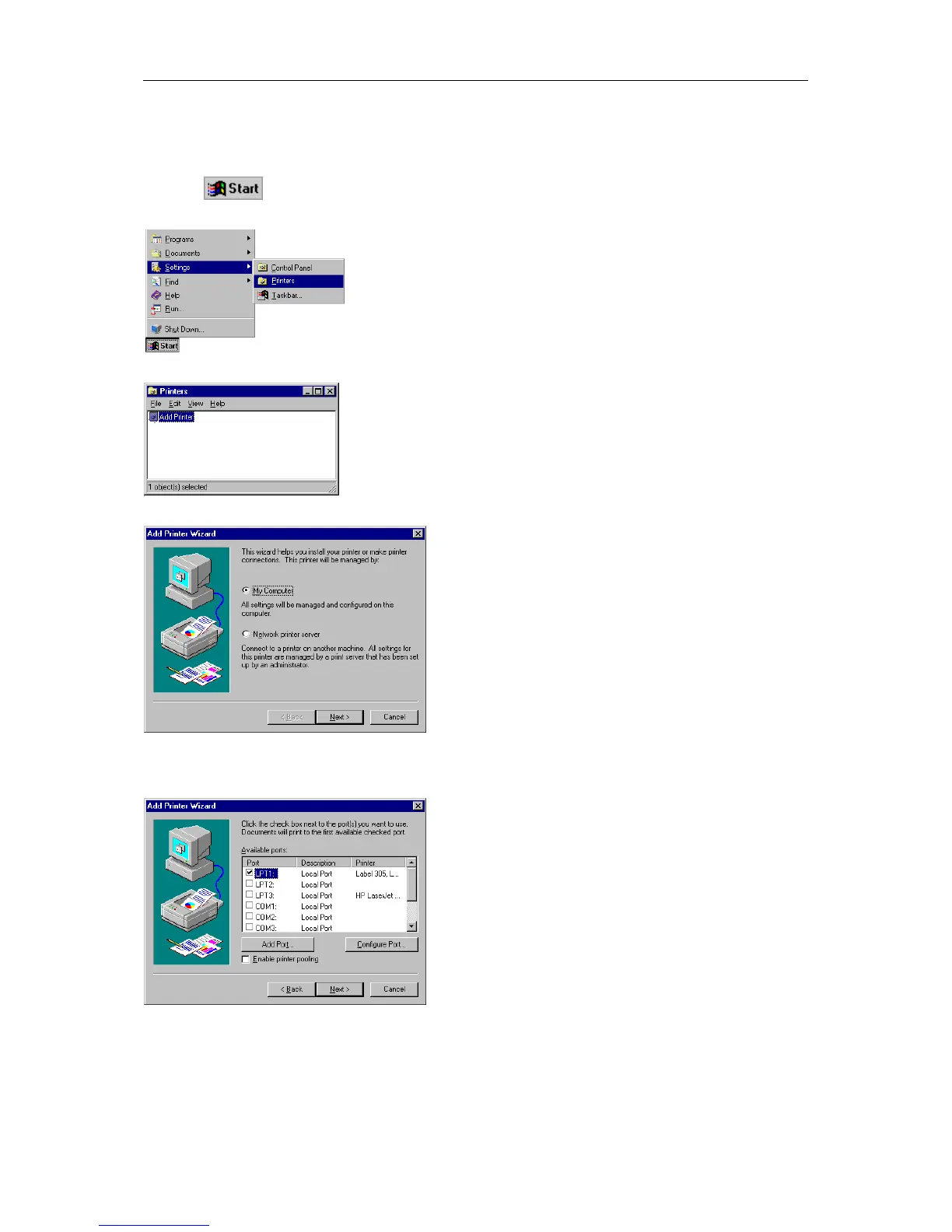
Start your computer and wait until the operating system is ready.
Click the
button.
Place the cursor first on Settings and then on Printers (see illustration below).
The following window appears:
Double click Add Printer and the first dialog of the Add Printer Wizard appears.
Select if the printer you want to install is a local printer (My Computer) or a network printer (Network
printer service).
Confirm your selection with Next and the next page of the wizard appears
Select from the list of Available ports the one which you desire and confirm the selection with Next.
Insert the installation CD and click the Disk button.
Click the Browse button and the Locate File dialog box appears.
Select from the Drives field the drive which you are using.


 To Next Page