Manual
2
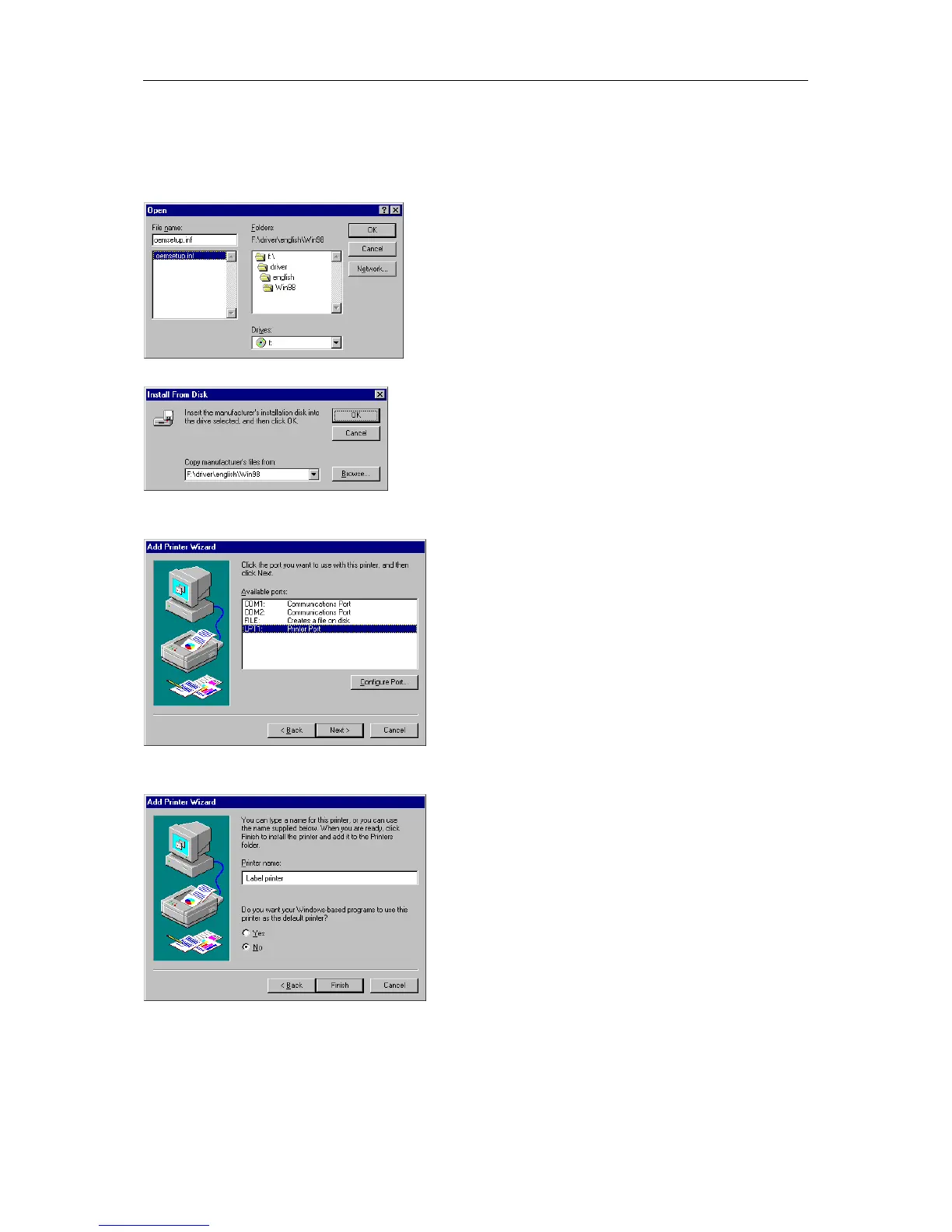
Double click driver and then select one of the available languages.
At the moment you can either chose german or english.
Depending on your operating system select win95, win98 or winme.
The Open dialog box should appear as illustrated below.
Confirm the selection with OK and the following window appears.
Click again the OK button and select the desired printer from the list.
Confirm the selection with Next and the next page of the wizard appears.
Select from the list of Available ports the one which you desire.
Confirm the selection with Next and the next page of the wizard appears.
Click the Printer name field to enter an other name as the already existing.
Confirm with Finish and the data is copied from the installation CD into the corresponding directory.
After this procedure the printer is add to the list of Available printers and the installation process is
finished.


 To Next Page