Page | 22
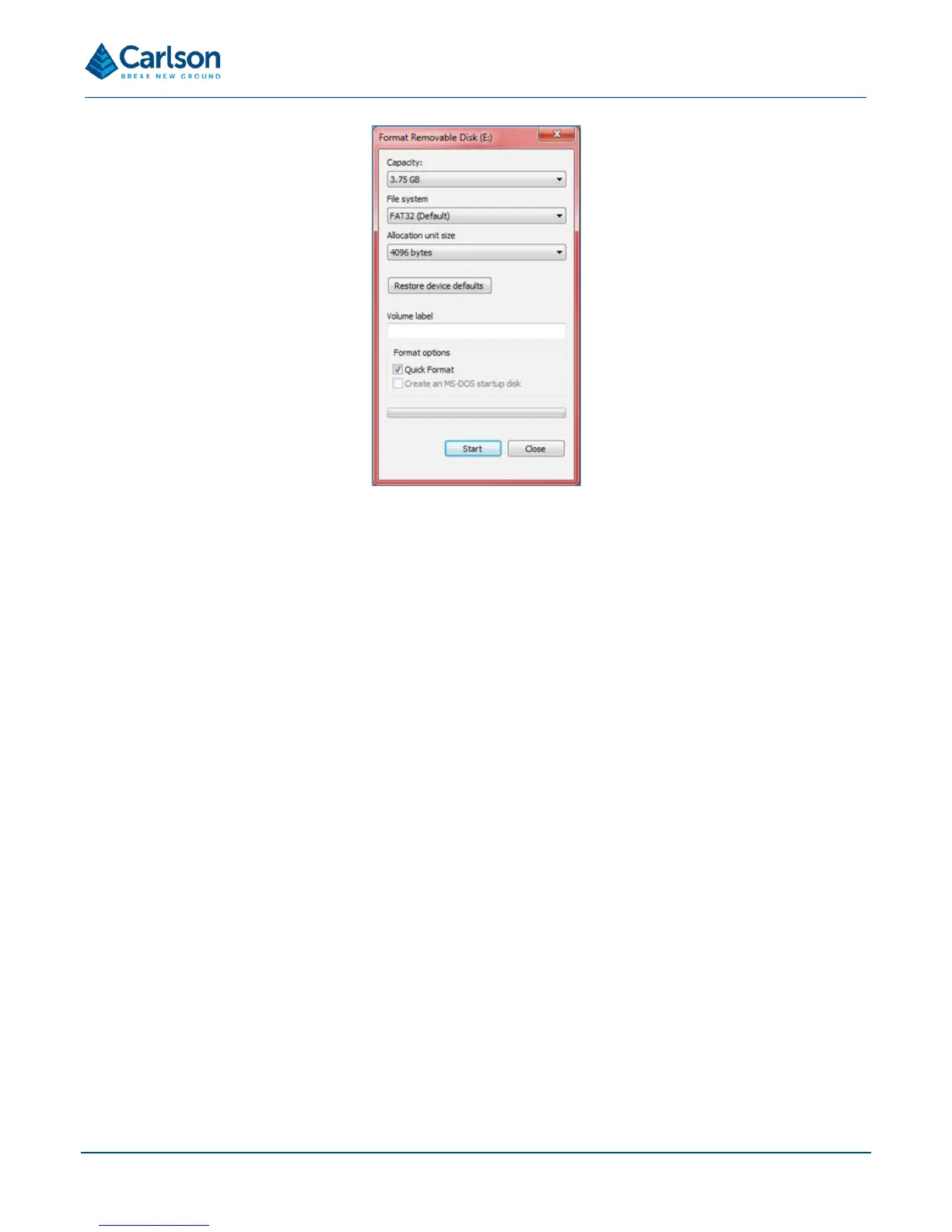
Click Start to format the USB drive.
The USB drive can also be formatted on the Quarryman Pro itself. If a USB drive is connected to the Quarryman
Pro that has not been previously used on the instrument or formatted on a PC, or has less than 100 MB of free
space, the Quarryman Pro will request to reformat the USB drive when the instrument is powered up. If you proceed
with the reformatting, all data on the USB drive will be lost. For further details see section 6.2.
4.11 Tripod
The Quarryman Pro is supplied with a standard survey tripod. The tripod’s 5/8 inch screw attaches to the tribrach
and holds the instrument secure during operations. Ensure this screw is securely fastened before using the
Quarryman Pro.
The tripod should always be set up on stable ground and, where possible, the feet should be dug into the ground
before the instrument is attached and levelled.
Use the screws on the legs to adjust, then fasten, the length of the legs so that the Quarryman Pro telescope and
CDU are at a height appropriate to the stature of the operator.
4.12 Transit case
The Quarryman Pro system is supplied in a rugged transit case designed to transport the instrument and all
accessories, except the tripod. The case helps to protect the instrument from minor shocks and from the
environment. It is recommended that the transit case be used at all times when transporting and storing the
equipment.
Take care to clean and dry the Quarryman Pro and accessories before packing them into the transit case.



 To Next Page