Page | 49
Using the telescope, position the laser to one extremity of the scene to be scanned. Press the FIRE button to register
this point. Continue to define corners of a polygon with the FIRE button until an outline of the scene is fully defined.
When observing the last corner point, the polygon does not need to be ‘joined up’ to the first corner, i.e. a four-sided
polygon only requires four corners to be observed.
Once the polygon is defined, press ENTER. The CDU prompts:
Point laser to centre of scan area and press FIRE
Point the laser to the centre of the scene and press FIRE.
8.8 Scanning
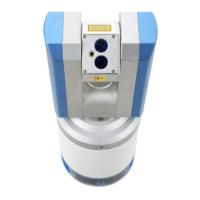
The Quarryman Pro will now automatically move into position at the top left corner of the scan window. The scan
will then commence and will require no further user intervention.
On completion of a scan, the laser will return to the centre of the scan area. The CDU will return to the main menu.
If more scans are required to fill in detail on the face, repeat section 8.7, selecting the scan window and point density
as required.
8.9 Completing the survey
On completion of all observations, it is good practice to re-aim the unit to the reference target that was sighted at
the start of operations. Check that the horizontal angle is 0.00° to within a few hundredths of a degree. If this is not
so, it will mean that the unit has moved on the tripod and there may be errors in some of the observations.
Turn the unit off by pressing 0 from the main menu.
On returning to the office, remove the USB drive and back up the new FSC files immediately. Put the battery on
charge.
Ensure the Quarryman Pro and accessories are clean and dry before packing away in the transit case supplied.



 To Next Page