Page | 32
In Point and shoot mode you can move the laser either manually or by using the motor controls. You can take
single shots using the FIRE button. These observations will be recorded under the selected Code ID and Station
ID numbers.
To exit Point and shoot mode at any time, press ENTER to return to the main menu.
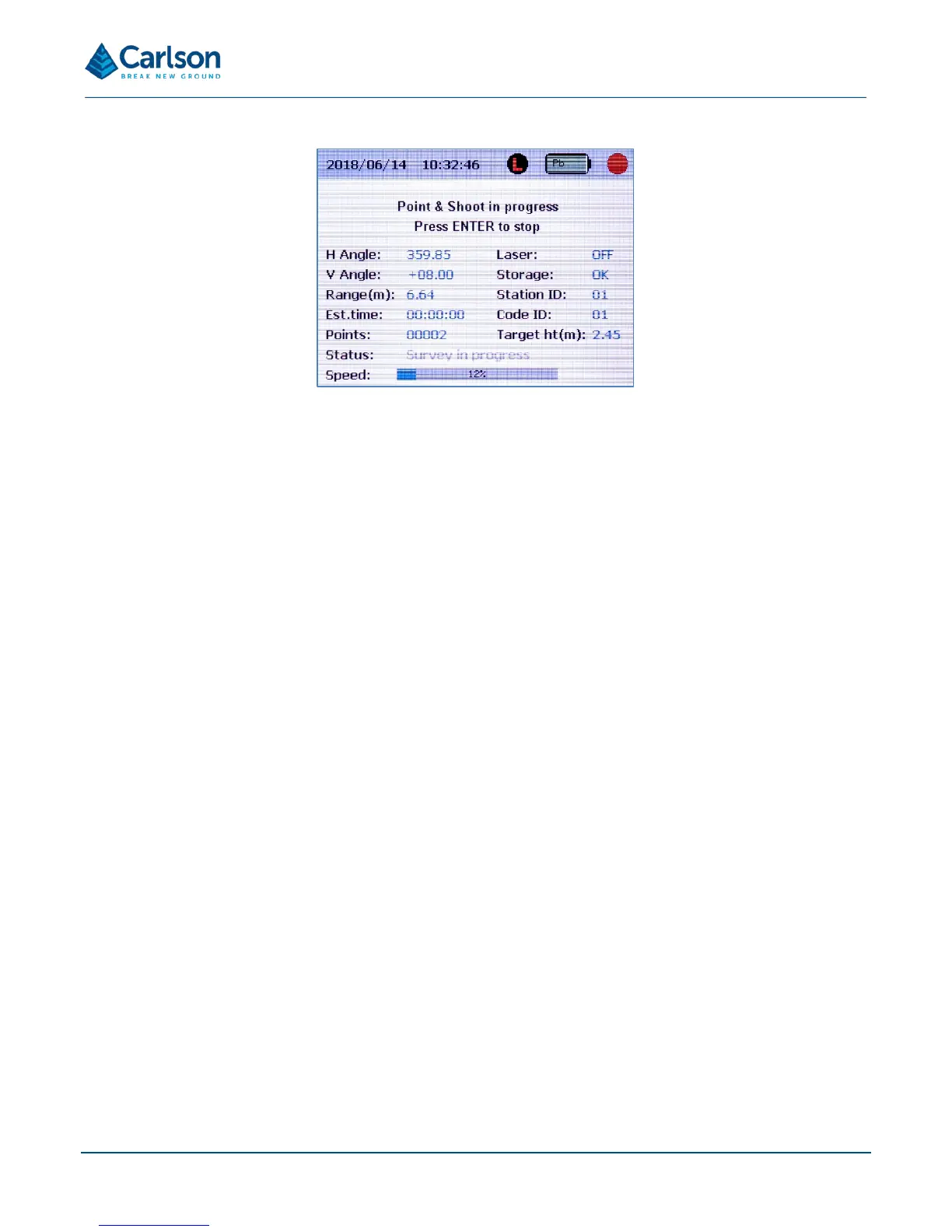
The display beneath the status bar shows the following values in real time:
• H Angle: current horizontal angle.
• V Angle: current vertical angle.
• Range: last measured range displayed in metres or feet depending on whether you are using metric or
imperial units of measurement: see section 6.7.
• Est.Time: displays 00:00:00 in Point and shoot mode. During a scan, this displays the time remaining
when a scan is in progress.
• Points: number of recorded points since the current Point and shoot operation was started.
• Laser: displays OFF in Point and shoot mode, and ON when the laser is scanning during FastScan or
AutoFix operations.
• Storage: shows a diagnostic message related to the USB drive connected to the Quarryman Pro. There
are three possible messages:
o OK: there is over 100 MB free memory left, and no errors detected.
o ERR: the USB device is not present or has failed.
o LOW: the free space available has dropped below 100 MB.
• Station ID: current station number. This can only be defined when the unit has just been switched on: see
section 6.2.
• Code ID: current user-defined code number. Return to the main menu and re-select Point and shoot mode
to change the Code ID.
• Target ht: current user-defined target height. Return to the main menu and re-select Point and shoot
mode to change the target height.
• Status: displays a message indicating the instrument’s current operational status or diagnostic information.
For example:



 To Next Page