EasyManua.ls Logo

Carrier AquaForce B Series - User Manual

Carrier AquaForce B Series
358 pages
Print Icon
To Next Page IconTo Next Page
Loading...
Manufacturer reserves the right to discontinue, or change at any time, specifications or designs without notice and without incurring obligations.
Catalog No. 04-53300197-01 Printed in U.S.A. Form 30XV-3T Pg 1 6-19 Replaces: New
Controls, Start-Up, Operation, Service
and Troubleshooting
SAFETY CONSIDERATIONS . . . . . . . . . . . . . . . . . . . . . . 2
GENERAL . . . . . . . . . . . . . . . . . . . . . . . . . . . . . . . . . . . . . 3
Conventions Used in This Manual . . . . . . . . . . . . . . . 3
Abbreviations Used in This Manual . . . . . . . . . . . . . 3
CONTROLS . . . . . . . . . . . . . . . . . . . . . . . . . . . . . . . . . . . . 4
Carrier Controller Display . . . . . . . . . . . . . . . . . . . . . 5
Carrier Controller Display User Interface . . . . . . . . . 5
Input/Output (SIOB) Boards . . . . . . . . . . . . . . . . . . . 15
Auxiliary Boards . . . . . . . . . . . . . . . . . . . . . . . . . . . . 17
Enable-Off-Remote Switch (SW1) . . . . . . . . . . . . . . 18
Emergency On/Off Switch (SW2) . . . . . . . . . . . . . . . 18
Energy Management Module (EMM) . . . . . . . . . . . . 18
Local Equipment Network . . . . . . . . . . . . . . . . . . . . 19
Board Addresses . . . . . . . . . . . . . . . . . . . . . . . . . . . 19
Control Module Communication . . . . . . . . . . . . . . . 19
Carrier Comfort Network® Interface . . . . . . . . . . . 19
External Sensor Wiring . . . . . . . . . . . . . . . . . . . . . . . 20
Remote Alarm and Alert Relays . . . . . . . . . . . . . . . . 20
CONFIGURATION (SOFTWARE) . . . . . . . . . . . . . . . . . 20
Carrier Controller Operation Configuration Tables . . 20
Carrier Controller Menu Tables . . . . . . . . . . . . . . . . 20
Machine Control Methods . . . . . . . . . . . . . . . . . . . . 25
Chilled Water Set Point Configuration . . . . . . . . . . 27
Evaporator Pump Control . . . . . . . . . . . . . . . . . . . . 31
Circuit/Compressor Staging and Loading . . . . . . . 32
Dual Chiller Control . . . . . . . . . . . . . . . . . . . . . . . . . 33
Ramp Loading . . . . . . . . . . . . . . . . . . . . . . . . . . . . . . 38
Temperature Reset . . . . . . . . . . . . . . . . . . . . . . . . . . 38
Demand Limit . . . . . . . . . . . . . . . . . . . . . . . . . . . . . . 44
Machine Start Delay . . . . . . . . . . . . . . . . . . . . . . . . . 45
Fast Loading . . . . . . . . . . . . . . . . . . . . . . . . . . . . . . . 45
Ice Storage Operation . . . . . . . . . . . . . . . . . . . . . . . . 46
Broadcast Configuration . . . . . . . . . . . . . . . . . . . . . 46
Alarm Control . . . . . . . . . . . . . . . . . . . . . . . . . . . . . . 46
Daylight Savings Time Configuration . . . . . . . . . . . 47
Capacity Control Overrides . . . . . . . . . . . . . . . . . . . 47
Head Pressure Control (Variable Speed Fans) . . . . 48
Head Pressure Control (Fixed Speed Fans) . . . . . . 49
Sound Optimization . . . . . . . . . . . . . . . . . . . . . . . . . 49
PRE-START-UP . . . . . . . . . . . . . . . . . . . . . . . . . . . . . . . 49
System Check . . . . . . . . . . . . . . . . . . . . . . . . . . . . . . 49
START-UP . . . . . . . . . . . . . . . . . . . . . . . . . . . . . . . . . . . . 49
Actual Start-Up . . . . . . . . . . . . . . . . . . . . . . . . . . . . . 49
Operating Limitations . . . . . . . . . . . . . . . . . . . . . . . .50
OPERATION . . . . . . . . . . . . . . . . . . . . . . . . . . . . . . . . . . .55
Sequence of Operation . . . . . . . . . . . . . . . . . . . . . . .55
Dual Chiller Sequence of Operation . . . . . . . . . . . . .55
Operating Modes . . . . . . . . . . . . . . . . . . . . . . . . . . . .56
Sensors . . . . . . . . . . . . . . . . . . . . . . . . . . . . . . . . . . . .57
SERVICE . . . . . . . . . . . . . . . . . . . . . . . . . . . . . . . . . . . . . .64
Economizer Assembly . . . . . . . . . . . . . . . . . . . . . . . .64
Electronic Expansion Valve . . . . . . . . . . . . . . . . . . .64
Compressor Assembly . . . . . . . . . . . . . . . . . . . . . . .67
Evaporator Service . . . . . . . . . . . . . . . . . . . . . . . . . .68
All Units . . . . . . . . . . . . . . . . . . . . . . . . . . . . . . . . . . .73
MCHX Condenser Coil:
Maintenance and Cleaning . . . . . . . . . . . . . . . . .74
RTPF Condenser Coil:
Maintenance and Cleaning . . . . . . . . . . . . . . . . .74
Condenser Fans . . . . . . . . . . . . . . . . . . . . . . . . . . . . .75
High Static Fan Option . . . . . . . . . . . . . . . . . . . . . . .75
Refrigerant Circuit . . . . . . . . . . . . . . . . . . . . . . . . . . .75
Safety Devices . . . . . . . . . . . . . . . . . . . . . . . . . . . . . .75
Relief Devices . . . . . . . . . . . . . . . . . . . . . . . . . . . . . .76
Variable Frequency Drives . . . . . . . . . . . . . . . . . . . .76
MAINTENANCE . . . . . . . . . . . . . . . . . . . . . . . . . . . . . . .208
Recommended Maintenance Schedule . . . . . . . . .208
TROUBLESHOOTING . . . . . . . . . . . . . . . . . . . . . . . . . .208
Alarms and Alerts . . . . . . . . . . . . . . . . . . . . . . . . . .208
Troubleshooting . . . . . . . . . . . . . . . . . . . . . . . . . . . .223
Electrical Schematics . . . . . . . . . . . . . . . . . . . . . . .226
Quick Test (Service Test) . . . . . . . . . . . . . . . . . . . .226
APPENDIX A — CARRIER CONTROLLER
DISPLAY TABLES . . . . . . . . . . . . . . . . . . . . . . . . . .249
APPENDIX B — CCN POINT TABLE . . . . . . . . . . . . . .281
APPENDIX C — LON POINT TABLE . . . . . . . . . . . . . .308
APPENDIX D — BACNET/MODBUS
TRANSLATOR POINTS . . . . . . . . . . . . . . . . . . . . .309
APPENDIX E — BACNET IP POINTS . . . . . . . . . . . . . .310
APPENDIX F — PIPING AND INSTRUMENTATION . .328
APPENDIX G — MAINTENANCE SUMMARY
AND LOG SHEETS . . . . . . . . . . . . . . . . . . . . . . . . .330
APPENDIX H — EVAPORATOR HEATER SENSOR
SET POINT . . . . . . . . . . . . . . . . . . . . . . . . . . . . . . . .332
APPENDIX I — CARRIER CONTROLLER WEB AND
NETWORK INTERFACE PARAMETERS. . . . . . .333
APPENDIX J — FACTORY SUPPLIED PUMPS . . . . .336
AquaForce
®
30XV140-500, Series B
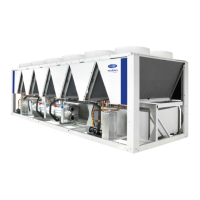
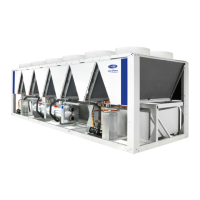
Variable Speed Air-Cooled Liquid Chillers
with Greenspeed
®
Intelligence
and Carrier Controller

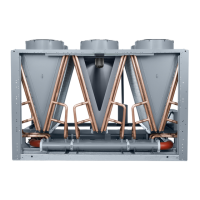
Table of Contents

Questions and Answers

  • R
    Robert SandersAug 8, 2025
    What to do if Carrier Chiller unit operates too long?
    • H
      Heather CookeAug 8, 2025
      If your Carrier Chiller unit is running longer than expected, consider these potential causes: a low refrigerant charge (check for leaks and add refrigerant), air in the chilled water loop (purge the water loop), or non-condensables in the refrigerant circuit (remove refrigerant and recharge). An inoperative EXV may also be the reason; check, clean, or replace the EXV, check the EXV cable and replace if needed, and check the EXV board for an output signal. Finally, the load might be too high, indicating the unit is undersized for the application.
  • D
    Daniel MaloneAug 12, 2025
    Why Carrier AquaForce B compressor or fans do not run?
    • T
      Tracy ThomasAug 12, 2025
      If the compressor or fans in your Carrier Chiller aren't running, it could be due to an active alarm. Check the alarm status and follow troubleshooting instructions. An active operating mode could also be the cause, so check for Operating Modes and follow troubleshooting instructions. Another potential reason is blown VFD fuses; inspect the compressor and fan VFD fuses and replace them if necessary.
  • B
    bmartinAug 17, 2025
    What to do if Carrier Chiller circuit does not load?
    • D
      dominic14Aug 18, 2025
      If a circuit in your Carrier Chiller is not loading, there might be an active alarm. Check the alarm status and follow the troubleshooting instructions. Another possibility is an active operating mode; check for Operating Modes and follow the troubleshooting instructions. Also, low saturated suction temperature could be a reason, so see Capacity Control Overrides #23 and #24. High circuit suction superheat, low suction superheat or low discharge superheat can also prevent circuit loading. In these cases, check for a faulty suction transducer or wiring, a restriction in the liquid line (filter drier, service valve, etc.), EXV operation, and proper refrigerant charge.
  • A
    ashleyarroyoAug 22, 2025
    Why Carrier AquaForce B circuit does not run?
    • B
      Brian FriedmanAug 22, 2025
      If a circuit in your Carrier Chiller is not running, it could be due to an active alarm. Check the alarm status and follow troubleshooting instructions, and check Active Capacity Override, CAPA_override. It could also be due to an active operating mode. Check for Operating Modes and follow troubleshooting instructions, and check Active Capacity Override, CAPA_override.
  • E
    Edwin PalmerAug 27, 2025
    What to do if chilled water pump is on but Carrier AquaForce B Chiller machine is off?
    • T
      Tyler DavisAug 27, 2025
      If the chilled water pump is running but the Carrier Chiller machine is off, this could be due to evaporator freeze protection. The chilled water loop temperature may be too low, so check the evaporator heater.
  • M
    Mrs. Michele Holland DDSNov 1, 2025
    Why Carrier AquaForce B unit does not run?
    • J
      Johnny McdanielNov 2, 2025
      There are several reasons why your Carrier Chiller unit might not be running. First, ensure the unit is receiving power by checking the overcurrent protection device and non-fused disconnect. Restore power if necessary and check the Active Capacity Override (CAPA_override). Also, the unit might not run due to wrong unit configuration, or an active alarm. If an alarm is active, check the alarm status and follow troubleshooting instructions. Another reason might be an active operating mode. Check for Operating Modes and follow troubleshooting instructions. Also, a High Pressure Switch (HPS) might be open, so recheck the high pressure switch and its wiring in the compressor VFD. Finally, check the VFD enable output from SIOB J6-DO04 for 24VAC and the wiring in the compressor VFD at terminals ...

Summary

SAFETY CONSIDERATIONS

GENERAL

Conventions Used in This Manual

Explains conventions used in the manual for clarity and consistency.

Abbreviations Used in This Manual

Lists and defines abbreviations used throughout the manual for technical terms.

CONTROLS

Carrier Controller Display

Describes the HMI and core control system functions.

Carrier Controller Display User Interface

Details the display interface, including welcome and home screens.

CONFIGURATION (SOFTWARE)

Carrier Controller Operation Configuration Tables

Explains how to configure operating conditions and equipment arrangements.

Carrier Controller Menu Tables

Lists configuration tables that control chiller operation by user access level.

PRE-START-UP

System Check

Lists essential checks before starting the chiller, including auxiliary components and wiring.

START-UP

Actual Start-Up

Provides step-by-step instructions for start-up under qualified technician supervision.

OPERATION

Sequence of Operation

Details the step-by-step process for starting the chiller and its components.

Actuated Ball Valve (ABV)

Describes the ABV's function, installation, and manual operation.

Dual Chiller Sequence of Operation

Explains the master/slave control sequence for dual chiller applications.

SENSORS

Thermistors (TABLES 36-40)

Lists thermistors for chiller operation and their resistance values.

Evaporator Leaving Water Sensor (LWT)

Describes the location and function of the LWT thermistor.

Evaporator Entering Water Sensor (EWT)

Details the location and function of the EWT thermistor.

Suction Gas Temperature (SGT)

Explains the location and function of the SGT thermistor for each circuit.

Compressor Discharge Gas Temperature (DGT)

Describes the location and function of the DGT thermistor for each circuit.

Liquid Line Temperature (LIQT)

Details the location and function of the LIQT thermistor for each circuit.

Economizer Temperature (ECT)

Explains the location and function of the ECT thermistor for each circuit.

Compressor Motor Temperature (Comp Temp)

Describes the location and function of the compressor motor temperature thermistors.

Outdoor Air Temperature (OAT)

Details the location and function of the OAT sensor.

Space Temperature

Explains the function of the space temperature sensor and its connection.

Transducers

Lists the types of pressure transducers used and their functions.

SERVICE

Economizer Assembly

Describes the components and function of the economizer assembly.

Electronic Expansion Valve

Explains the function, operation, and control logic of the electronic expansion valve (EXV).

Main EXV Control

Details how the main EXV is controlled, including overrides and set points.

EXV Troubleshooting Procedure

Provides steps for troubleshooting EXV issues, including physical operation and replacement.

Installing EXV Motor

Instructions for reinstalling the EXV motor assembly.

Moisture Liquid Indicator

Explains how to interpret the moisture indicator and when to replace the filter drier.

Filter Drier

Provides guidance on replacing filter driers when moisture is detected.

MAINTENANCE

Recommended Maintenance Schedule

Outlines recommended maintenance tasks for the unit, categorized by frequency.

TROUBLESHOOTING

Alarms and Alerts

Explains how the control system monitors and generates warnings for abnormal conditions.

Current Alarms

Describes how to access and view current alarms on the Carrier Controller display.

Resetting Alarms

Details the procedure for resetting active alarms, distinguishing automatic and manual resets.

Alarm History

Explains where information regarding resolved alarms is stored and how to access it.

APPENDIX A - CARRIER CONTROLLER DISPLAY TABLES

Menu Descriptions

Provides a list of main menu options with associated tables for display and navigation.

GENUNIT - General Parameters

Details general parameters, their CCN names, ranges, default values, and read/write access.

TEMP - Temperatures

Lists temperature-related parameters, their CCN names, ranges, and read/write access.

PRESSURE - Pressures

Details pressure-related parameters, their CCN names, ranges, and read/write access.

INPUTS - Inputs Status

Lists input status parameters, their CCN names, ranges, and read/write access.

OUTPUTS - Outputs Status

Lists output status parameters, their CCN names, ranges, and read/write access.

MODES - Modes

Describes the various operating modes of the chiller and their associated parameters.

SETPOINT - Setpoint Table

Lists setpoint parameters, their CCN names, ranges, and default values.

CONFIGURATION MENU

Outlines the structure of the configuration menu, with associated tables for various settings.

HMI CONFIGURATION MENU

Details the Human Machine Interface configuration options, including network settings.

NET_ETH0 - Network Conn-eth0

Provides network connection parameters for Ethernet port eth0, including IP and DNS settings.

NET_ETH1 - Network Conn-eth1

Details network connection parameters for Ethernet port eth1, including IP and DNS settings.

CCN_CONF - CCN Configuration

Lists parameters for configuring Carrier Comfort Network (CCN) communication, including address and baud rate.

BACCONF - BACNet Standard Configuration

Specifies BACnet standard configuration parameters, including device identification and network settings.

DATETIME - Date;Time Configuration

Explains how to configure date, time, and daylight savings settings, including network time synchronization.

CTRL_ID - Control Identification Table

Provides information about device description, location, software part number, and serial number.

CPU_MEM - CPU Memory Table

Lists CPU memory usage, total memory, and free memory.

TERM_RES - Termination Resistor Table

Details termination resistor settings for communication bus connectors.

SYS_INFO - System Information Table

Lists system information such as SDK version, UI version, and OS build.

SCRN_BRT - Screen Brightness Table

Allows adjustment of the display brightness.

USRPWCHG - User Password Change Table

Describes how to change user passwords for different access levels.

GEN_CONF - General Configuration Table

Lists general configuration parameters like priority sequence, ramp loading, and demand limit settings.

PUMPCONF - Pump Configuration Table

Details pump configuration parameters, including sequence, rotation delay, and flow check.

RESETCFG - Reset Configuration Table

Lists parameters related to reset configurations, including cooling reset and temperature settings.

QCK_TEST - Quick Test Table

Lists parameters for quick tests on unit components to verify operation.

Carrier AquaForce B Series Specifications

General IconGeneral
BrandCarrier
ModelAquaForce B Series
CategoryChiller
LanguageEnglish

Related product manuals