13
FE4
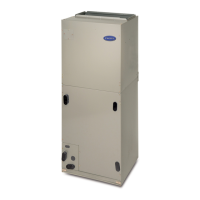
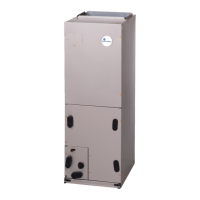
Model FE4A fan coil is designed to be installed with a
communicating user interface. The FE4A fan coil will provide
airflow at a rate commanded by the User Interface. The nominal
airflow/ton rate is 350 CFM/ton. The User Interface will modify
the commanded airflow under certain operating modes. Refer to
the User Interface literature for further system control details. This
fan coil will not respond to commands from a common thermostat
except under certain emergency situations explained in this
document.
ELECTRONICALLY COMPUTED MOTOR ECM3.0
An ECM3.0 is fed high voltage AC power through the 5--pin
connector. The AC power is then internally rectified to DC by a
diode module. After rectification, DC signal is electronically
communicated and fed in sequential order to 3 stator windings.
The frequency of these communication pulses determines motor
speed. The rotor is permanently magnetized.
ECM3.0 CONTROL POWER
The ECM3.0 control power is supplied from R circuit through
printed circuit runs to motor control connector Plug 1, Pin 1,
through motor control harness to motor. The C side of low--voltage
control power circuit is connected by printed circuit runs to motor
connector Plug 1, Pin 2 then through motor control harness to
motor. A digital signal is sent from Plug 1, Pins 3 and 4 to
communicate with the motor including all airflow requirements.
LOW--VOLTAGE CIRCUIT FUSING AND REFERENCE
The low--voltage circuit is fused by a board--mounted 5--amp
automotive type fuse placed in series with transformer SEC2 and R
circuit. The C circuit of transformer is referenced to chassis ground
through a printed circuit run at SEC1 connected to metal standoff.
NOTE: The PCB must be mounted with two screws and motor
ground lead secured to blower housing or erratic motor operation
can result.
TRANSFORMER, MOTOR, AND ELECTRIC HEATER
POWER CONNECTION
Transformer high voltage supplied from electric heater package or
high voltage leads through 12--pin heater connector plug/recp2.
The ECM3.0 power connections are made at the transformer
primary terminals. The transformer secondary connections are
made at SEC1 and SEC2 connectors.
TROUBLESHOOTING (FE4)
NOTE: Always check high and low voltage supply to the fan coil
components. Check the integrity of the plug receptacle connections
and fan coil wiring harness prior to assuming a component failure.
A. LED Description:
LEDs built into fan coil control provide installer or service person
information concerning operation and/or fault condition of the fan
coil control and ECM motor. This information is also available at
system User Interface in text with basic troubleshooting
instructions. Careful use of information displayed will reduce the
need for extensive manual troubleshooting.
The amber LED located at bottom center of control adjacent to
motor harness plug is Motor Status LED, and it is labeled
MOTOR. A second amber LED, located in upper right center of
control adjacent to System Communications connector (A,B,C,D),
is the System Status LED, and it is labeled STATUS. The green
LED labeled COMM is also located adjacent to System
Communications connector, below STATUS LED, and is used as
an indicator of system communications status. Status Codes will be
displayed on the STATUS LED using the following protocol:
1. The number of short flashes indicates first digit of code.
2. The number of long flashes indicates second digit of code.
3. A short flash is 0.25 seconds on. A long flash is one second
on.
4. The time between flashes is 0.25 seconds.
5. The time between last short flash and first long flash is 1
second.
6. The LED will be off for 2.5 seconds before repeating code.
B. Fan Coil Control Start--Up and System Communications
Troubleshooting:
On power up, green COMM LED will be turned off until
successful system communications are established (this should
happen within 10 seconds). Once communications with User
Interface are successful, COMM LED will be lit and held on. At
the same time, amber STATUS LED will be lit and held
continuously on until a request for operating mode is received. The
STATUS LED will be on any time fan coil is in idle mode.
If, at any time, communications are not successful for a period
exceeding two minutes, fan coil control will only allow emergency
heating or cooling operation using a common thermostat, a
non--communicating outdoor unit and the R, C, Y, O, W outdoor
unit terminal strip connections and will display Status Code 16,
System Communication Fault,onamberSTATUSLED.No
further fan coil troubleshooting information will be available at
User Interface until communications are re--established.
If COMM LED does not light within proper time period and status
code is not displayed:
1. Check system transformer high and low voltage to be sure
the system is powered.
2. Check fuse on fan coil control to be sure it is not blown. If
fuse is open, check system wiring before replacing it to be
sure a short does not cause a failure of replacement fuse.
If COMM LED does not light within proper time period and status
code is displayed:
Check system wiring to be sure User Interface is powered and
connections are made A to A, B to B, etc. and wiring is not
shorted. Mis--wiring or shorting of the ABCD communications
wiring will not allow successful communications.
NOTE: Shorting or mis--wiring low voltage system wiring will
not cause damage to fan coil control or User Interface but may
cause low voltage fuse to open.
C. ECM Motor Troubleshooting
The ECM motor used in this product consists of two parts: the
control module and the motor winding section. Do not assume
motor or module is defective if it will not start. Use the
designed--in LED information aids and follow troubleshooting
steps described below before replacing motor control module or
entire motor. Motor control module is available as a replacement
part.





 To Next Page