8
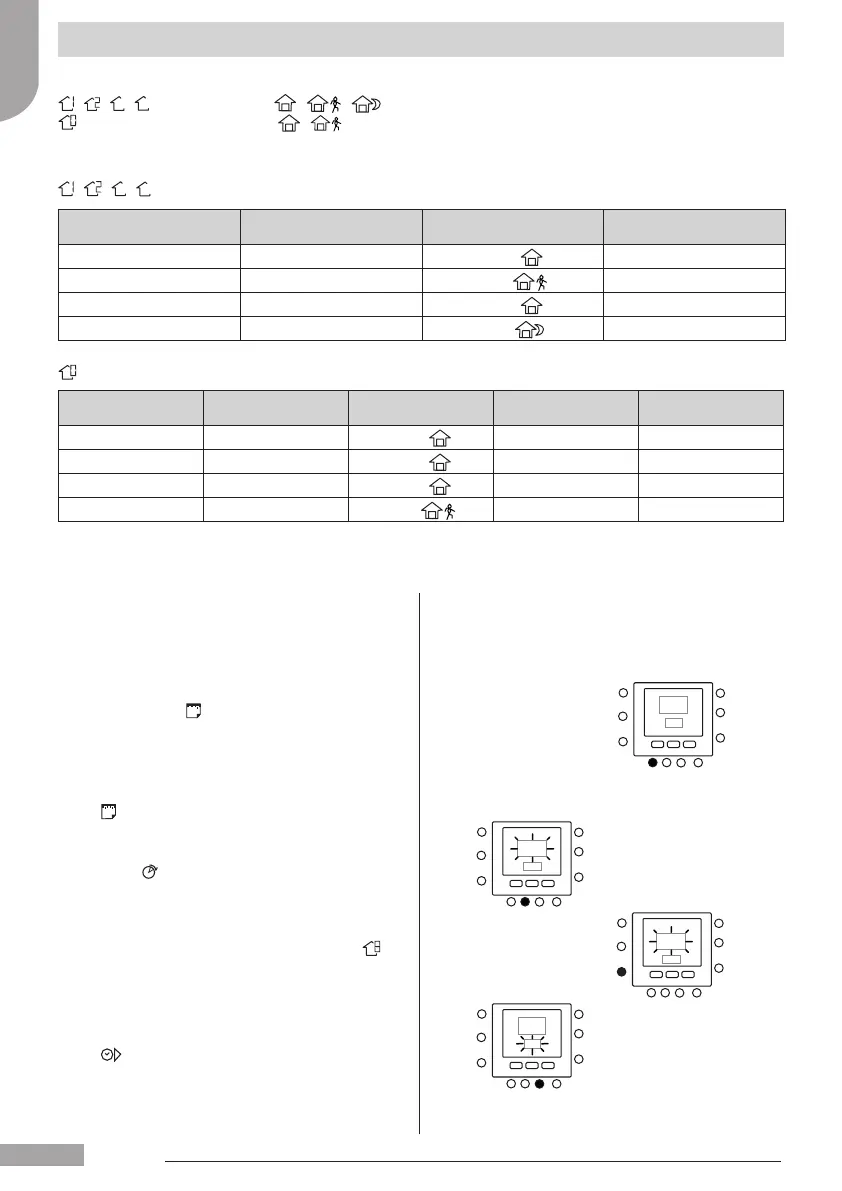
Pre-set Period
Start Time
Period Number
Domestic hot water
option
Booster Heater
allowed
Silent Mode
2:00 P1
Home (
)
NO NO
4:00 P2
Home (
)
YES NO
8:00 P3
Home (
)
NO NO
22:00 P4
Away (
)
NO NO
Pre-set Period
Start Time
Period Number Option for Each Period Zone Mode
6:00 P1
Home (
)
ON
8:00 P2
Away (
)
ON
14:00 P3
Home (
)
ON
20:00 P4
Sleep (
)
ON
Programming the user interface
It is possible to assign the following parameters to each time period.
- - -
-
: room temperature ( / / ), Zone mode (ON/OFF)
: domestic hot water temperature ( / ), booster heater (ON/OFF), master mode (ON/OFF)
Here’s an example of a programming using the factory-set periods and Touch ‘N’ Go options.
- - -
-
Here’s how to set your personal time periods to select the
time periods for the other boards/zone, use the virtual zoning
concept and do the same procedure.
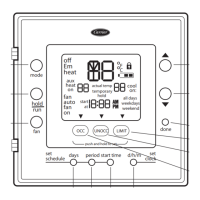
1. Open the lid.
2. Press the days (
) button.
You will see 1 to 7 ashing on the display.
3. Select one of the options (1 to 7 , 1 to 5 , 6 to 7 or
individual day : 1, 2, 3, 4, 5, 6, 7) by pressing the days
(
) button.
4. When you have selected one of the options, press the
period (
) button. P1 will ash on the display.
5. Select the desired zone by pressing the zone ( )
button repeatedly.
6. To change the hours in P1, press the start time
(
) button.
7. You will see the hours ashing on the screen. Press
the up or down button to select the desired one.
English
129H84_GB_8.indd 8 25/07/12 11.52






 To Next Page