9
Programming the user interface
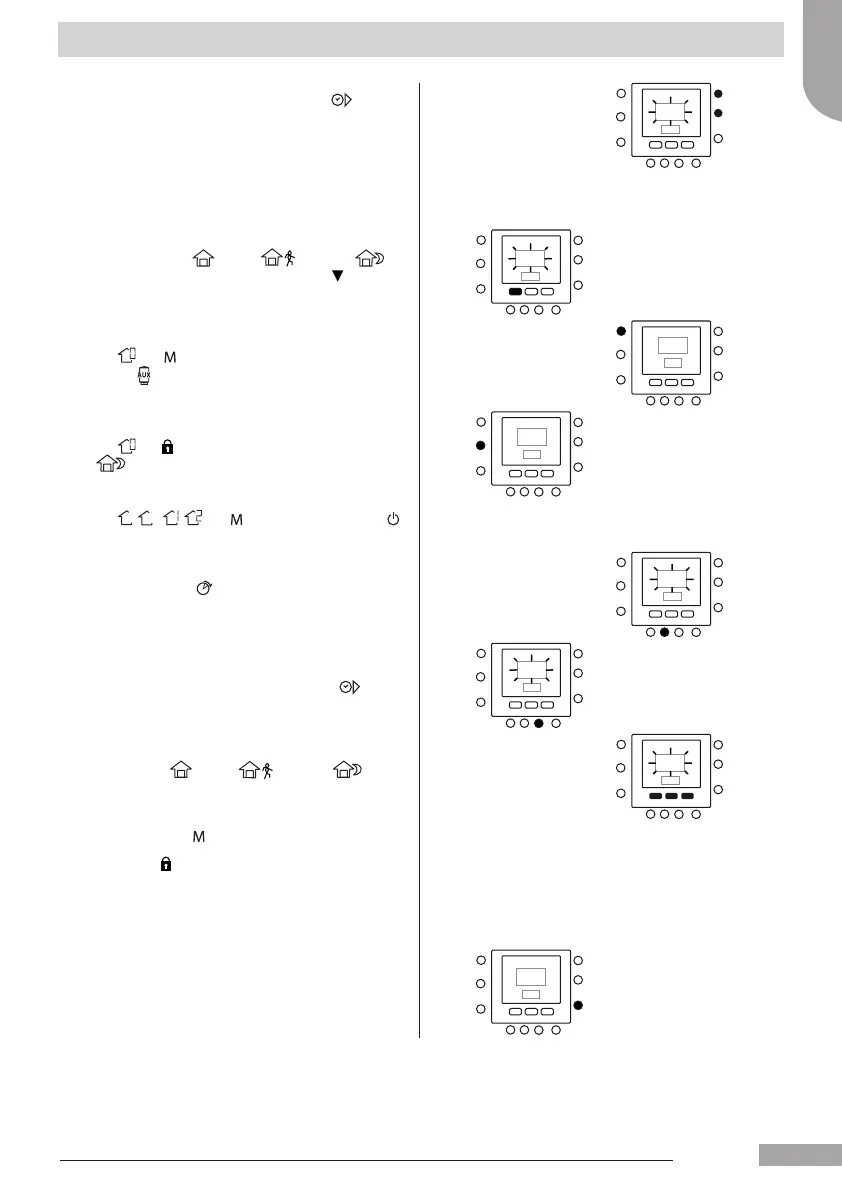
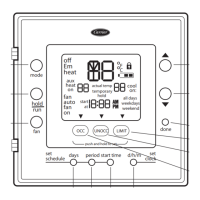
8. To change the minutes, press start time ( ) button.
You will see the minutes ashing on the screen. Press
the up or down button to select the desired one.
9. The “stop time” for period 1 (P1) is also the “start time”
for period 2 (P2). Use the instructions in the next step
to change the start time for period 2.
10. Press the home (
), away ( ) or sleep ( ) to
set it for period 1 (P1). The triangle icon (
) will be
above the button selected.
11. For , use to select if electrical heater are allowed
or not.
indicates if the electric heaters are allowed.
12. For use to select if silent mode is active or not.
indicates if the silent mode is active.
13. For ,
-
, , , use to select zone o mode.
indicates the mode.
14. Press the period (
) button twice. P2 will ash on
the display.
15. To change the hours, press the start time ( ) button.
16. Press home ( ), away ( ) or sleep ( ) for
this period.
17. Press the mode ( ) button to set the silent mode.
18. Press hold (
) button to set the electrical heater option.
19. Similarly you can program all the other periods.
20. Then repeat all the steps for your remaining
timeframe choice.
21. Press OK button or close the lid.
English
129H84_GB_8.indd 9 23/07/12 16.29






 To Next Page