18
CAL 1-2
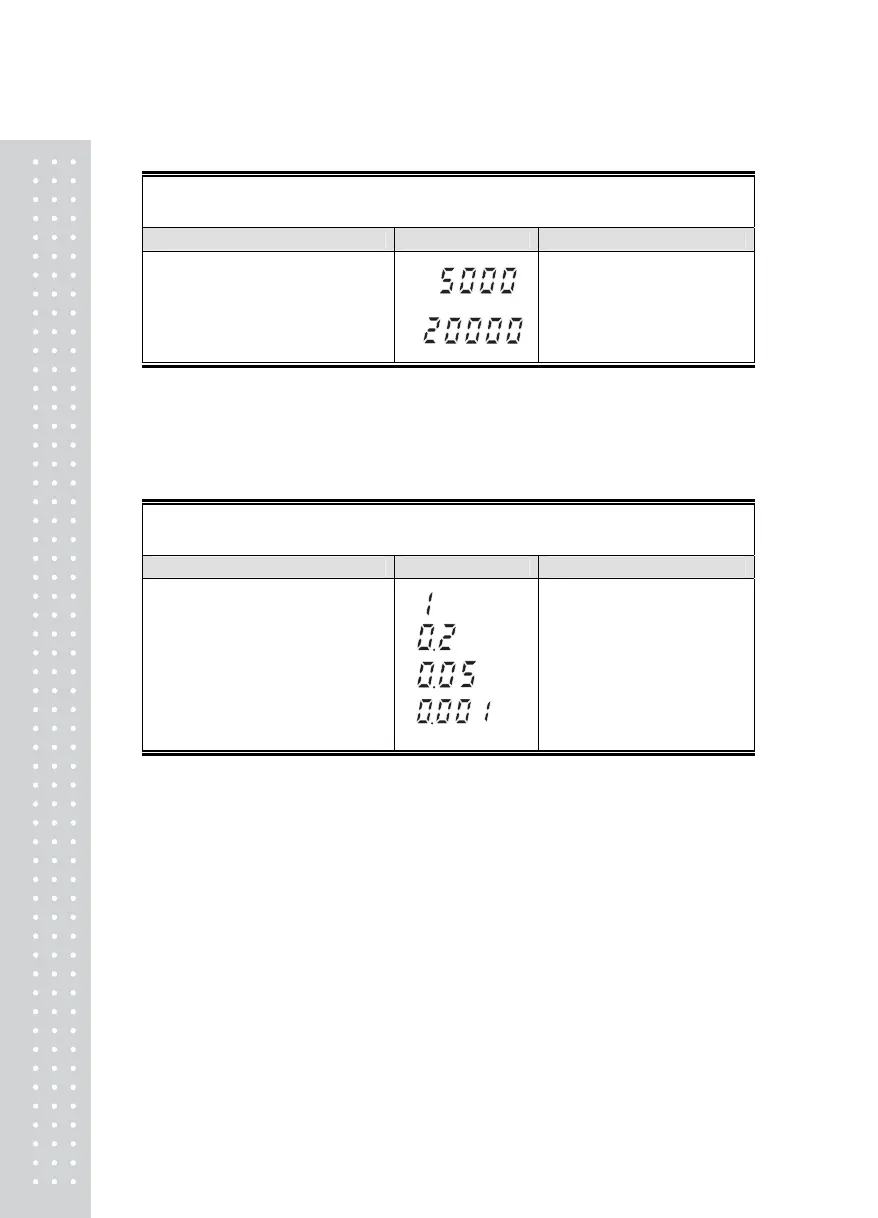
FUNCTION : Setting Maximum Value
Range of set value : 1 ~ 99,999
KEY DISPLAY DESCRIPTION
▲ Key : Value change
◀ Key : Digit change
ZERO Key : Cancel
SET Key : Save and next menu
Max value = 5000 kg
Max value = 20000 kg
► Note 1. It means the maximum weight value to be weighed by the scale.
CAL 2
FUNCTION : Minimum division and decimal position setting
Range of set value : 0.001 ~ 50
KEY DISPLAY DESCRIPTION
▲, ▼ Key : Value change
ZERO Key : Cancel
SET Key : Save and next menu
1 kg
0.2 kg
0.05 kg
0.001 kg
► Note 1. To end CAL2, press CANCEL key when a decimal point is set.
Note 2. Set the external resolution within 1/30,000 as the value by dividing the maximum
weight by the minimum division.
If the external resolution is 1/30,000 or more, Err 21 is shown.
Note 3. The position of a decimal point is decided by the position of a decimal point for the
minimum division set in CAL2.



 To Next Page