CEL-712 Microdust Pro Real-time Dust Monitor
11 Casella Measurement
2.3 Connections
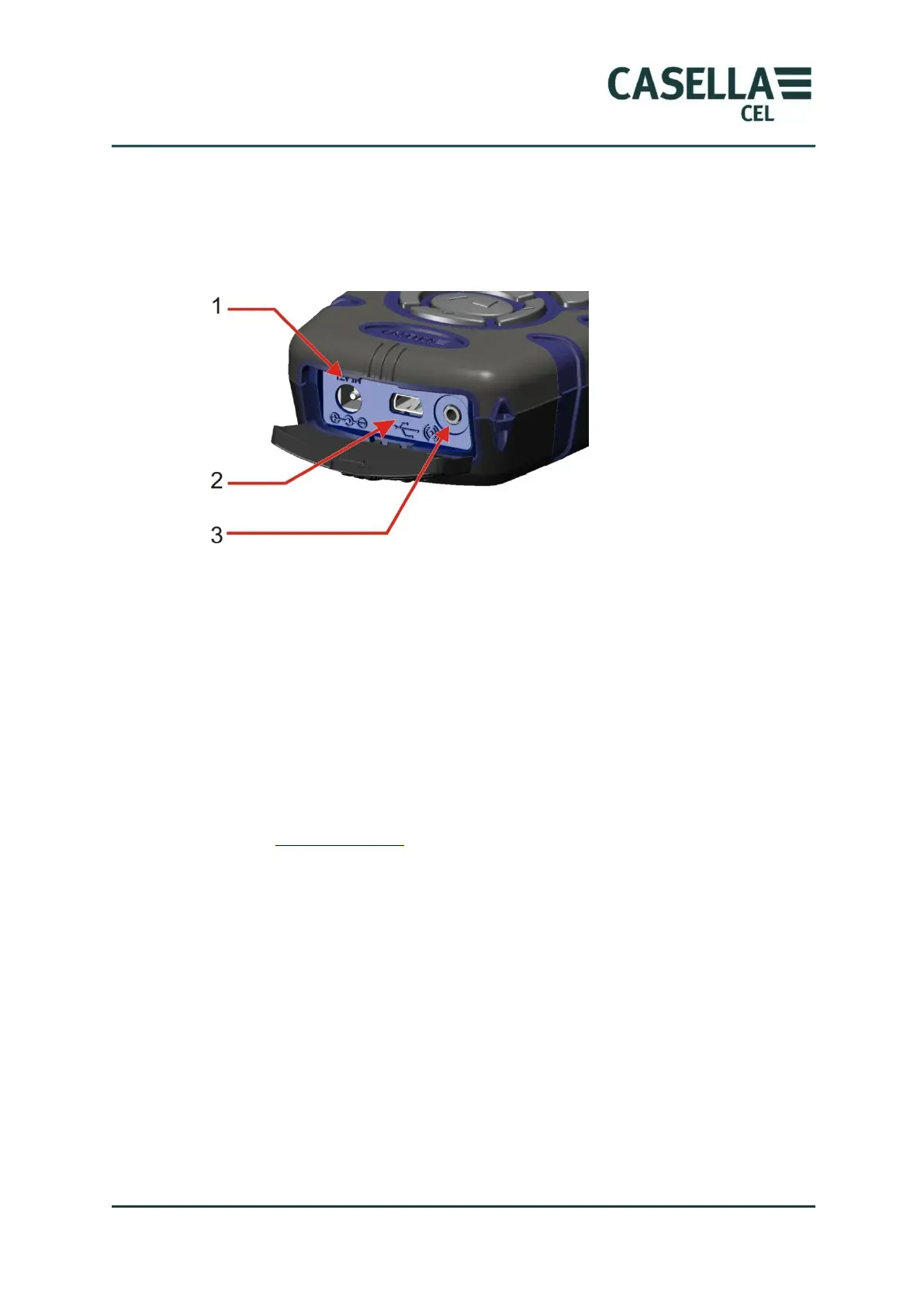
All connections to the Microdust Pro instrument are made through three ports
behind a hinged panel at the bottom of the instrument.
Figure 4 Connection port
1. Power input port
2. Mini B USB port
3. 2.5mm output port
Power input port
The power input port allows you to connect a DC power supply to operate the
instrument.
You must use a 2.1 mm DC plug that has the positive supply connected to the
centre receptacle.
Refer to Mains DC supply on page 14 for information about the requirements of
a suitable mains DC power supply for use with the Microdust Pro instrument.
Mini B USB port
The Mini B USB port allows you to connect the Microdust Pro instrument to
PC.
When you connect the instrument to a PC, the instrument appears as a
removable disk drive in Windows Explorer.
The Casella Insight Data Management Software is supplied with the
Microdust instrument. You must use this program to download measurements
directly from the instrument without using Windows Explorer. The Insight
software includes analysis and graphing tools, which you can use to analyse and
view measurement Runs.



 To Next Page