CEL-712 Microdust Pro Real-time Dust Monitor
41 Casella Measurement
4.3 Viewing stored Runs
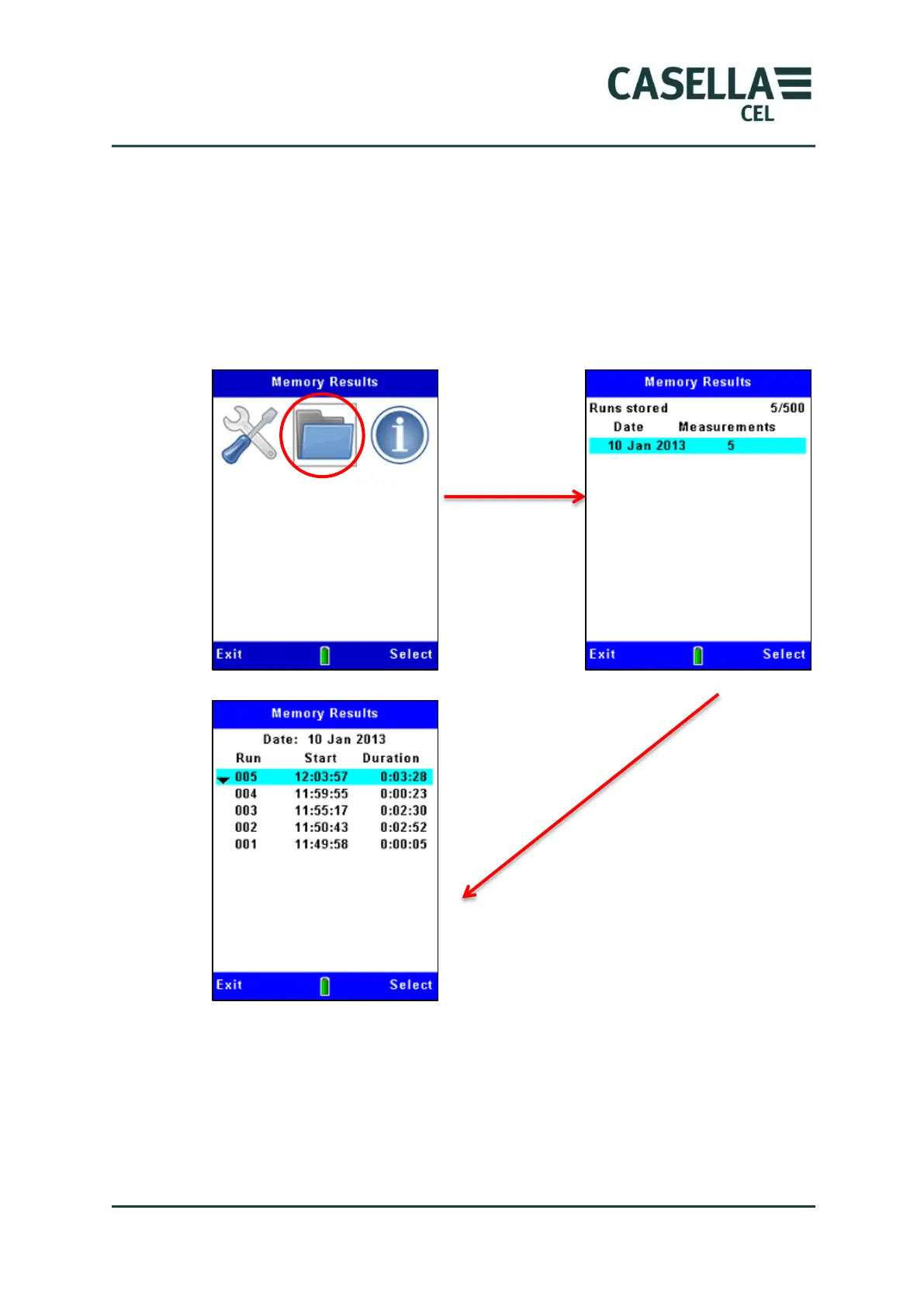
The Microdust Pro stores measurement Runs in internal memory and identifies
them by the date and time when they were started. The first Memory Results
screen shows a sequence of dates and lists the number of Runs recorded on that
date, with the most recent date at the top of the list. Figure 21 shows the steps
to follow to view the list of stored measurement Runs.
Figure 21 Viewing a list of stored Runs
Use the up and down navigation keys to select one of the dates in the list,
and press the Select soft key to show all the Runs recorded on that date. The
Runs on each date are numbered sequentially beginning at Run 01. The earliest
Run on a date is at the top of the list.



 To Next Page