CEL-712 Microdust Pro Real-time Dust Monitor
27 Casella Measurement
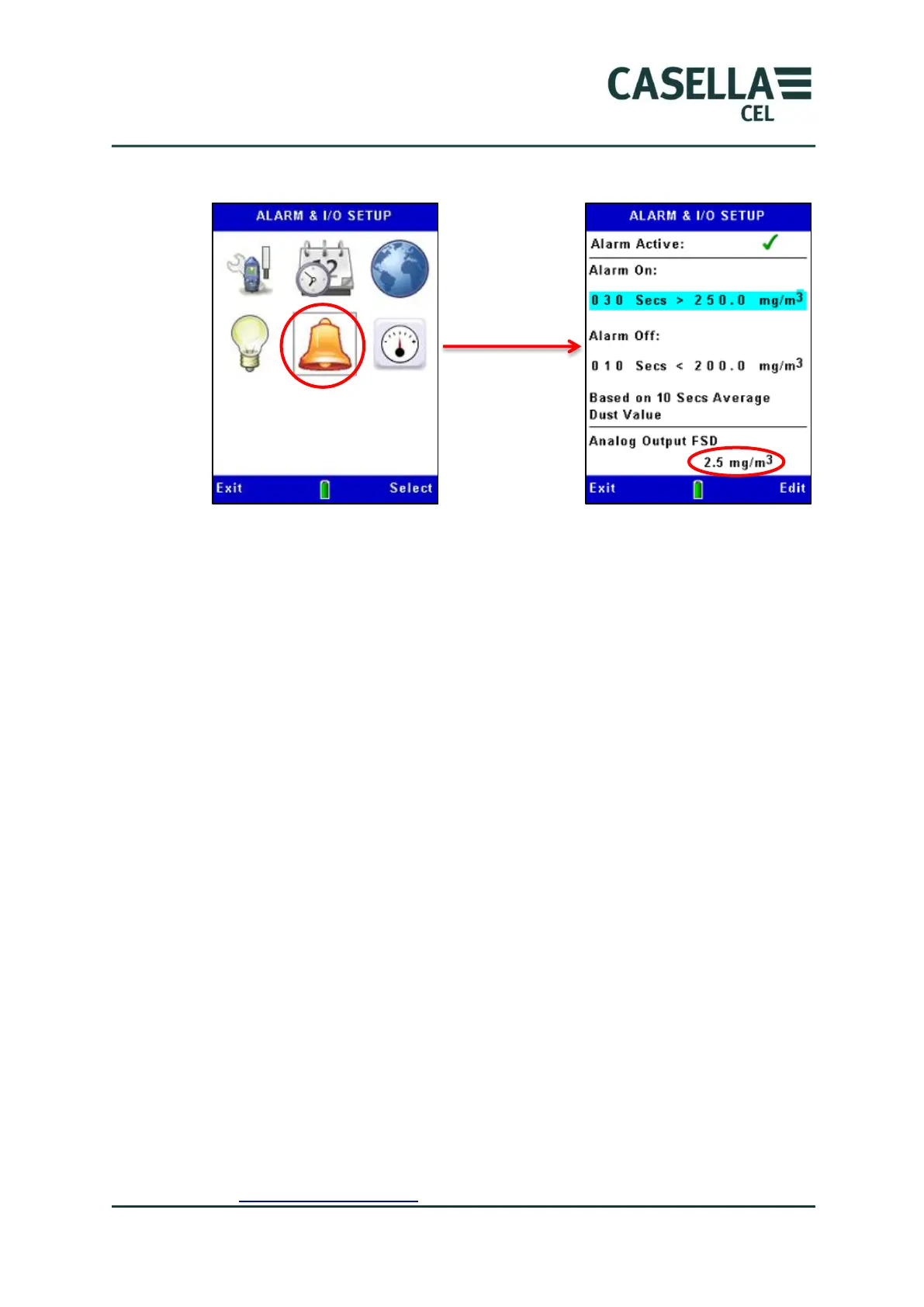
Figure 12 Analog setup
3.11 Checking the instruments Zero and Span
The Microdust Pro is a sensitive measuring instrument. Prior to making
measurements and to ensure optimum accuracy, it is recommended that the
user performs a ‘Zero’ and ‘Span’ check.
The Microdust Pro is supplied with an optical ‘Calibration Insert’ which is used
to establish a known instrument sensitivity or ‘Span’ .
When inserted into the probe, the Calibration Insert creates a stable and fixed
scattered effect and signal level. Following the default factory calibration
(using Arizona Road Dust equivalent - ISO 12103 -1 A2 (fine) test dust) the
Calibration Insert will produce a light scattering effect which is equivalent to a
factory dust concentration level as shown on the filter label.
Calibration Inserts and probes are supplied as matched pairs, always ensure the
correct Insert is used for a given probe.
It should be noted that all optical dust sensing instruments such as the
Microdust show a sensitivity to different particulate types due to differences in
particle size distribution, material refractive index, particulate shapes and
colours. For a given measurement application and dust type, the instrument
may show a response different to the factory calibration conditions.
For a given monitoring application (i.e, a specific dust type and conditions) the
optimum accuracy of the real time dust measurement is achieved by
establishing a calibration factor. A specific ‘dust type’ calibration factor is
derived by the comparison of the Microdusts real time measurement to a co-
located gravimetric result (i.e using a pump and filter system). Please refer to
the Gravimetric Calibration section on page 33.



 To Next Page