CEL-712 Microdust Pro Real-time Dust Monitor
22 Casella Measurement
3.8 Setup
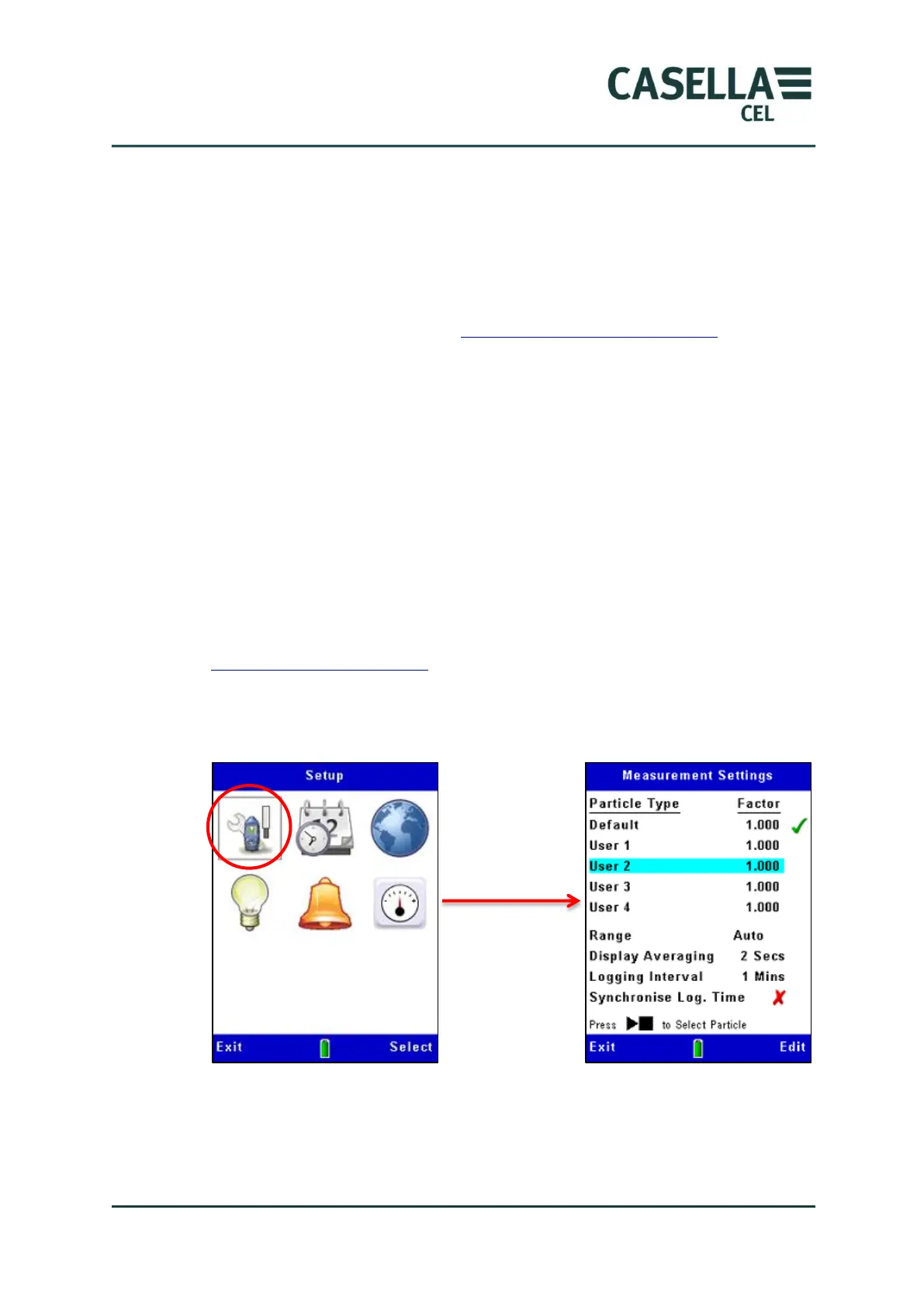
The instrument’s Measurement Settings screen allows you to set up two
important features:
1. The particulate type. For a description of this feature and instructions to
make these settings, read Calibration for specific particulate types
beginning on page 33.
2. The logging options, described below.
Data logging options
The instrument allows you to log data to internal memory so that you can
transfer measurements to a computer for analysis and long-term storage. Data
is logged during a measurement ‘Run’. The settings required for data storage
are:-
Logging interval
Synchronise log time
Follow the steps in Figure 9 to access the logging setup options. See section 4.2
Starting a measurement Run beginning on page 38 for a description of the data
logging features.
Figure 9 Data logging setup
Measurement range
All measurement ranges cover zero to the selected maximum. For the majority
of applications, the use of ‘Auto’ ranging is recommended. In all cases,



 To Next Page