CEL-712 Microdust Pro Real-time Dust Monitor
37 Casella Measurement
4 Making a measurement Run
Before you make a measurement, perform the following tasks:
Adjust the instrument’s zero and span settings (see Checking the
instruments Zero and Span beginning on page 27)
Apply the appropriate correction factor (see Calibration for specific
particulate types beginning on page 33).
Set an appropriate averaging time for the application (see Display
averaging period on page 23.
Start the measurement Run:
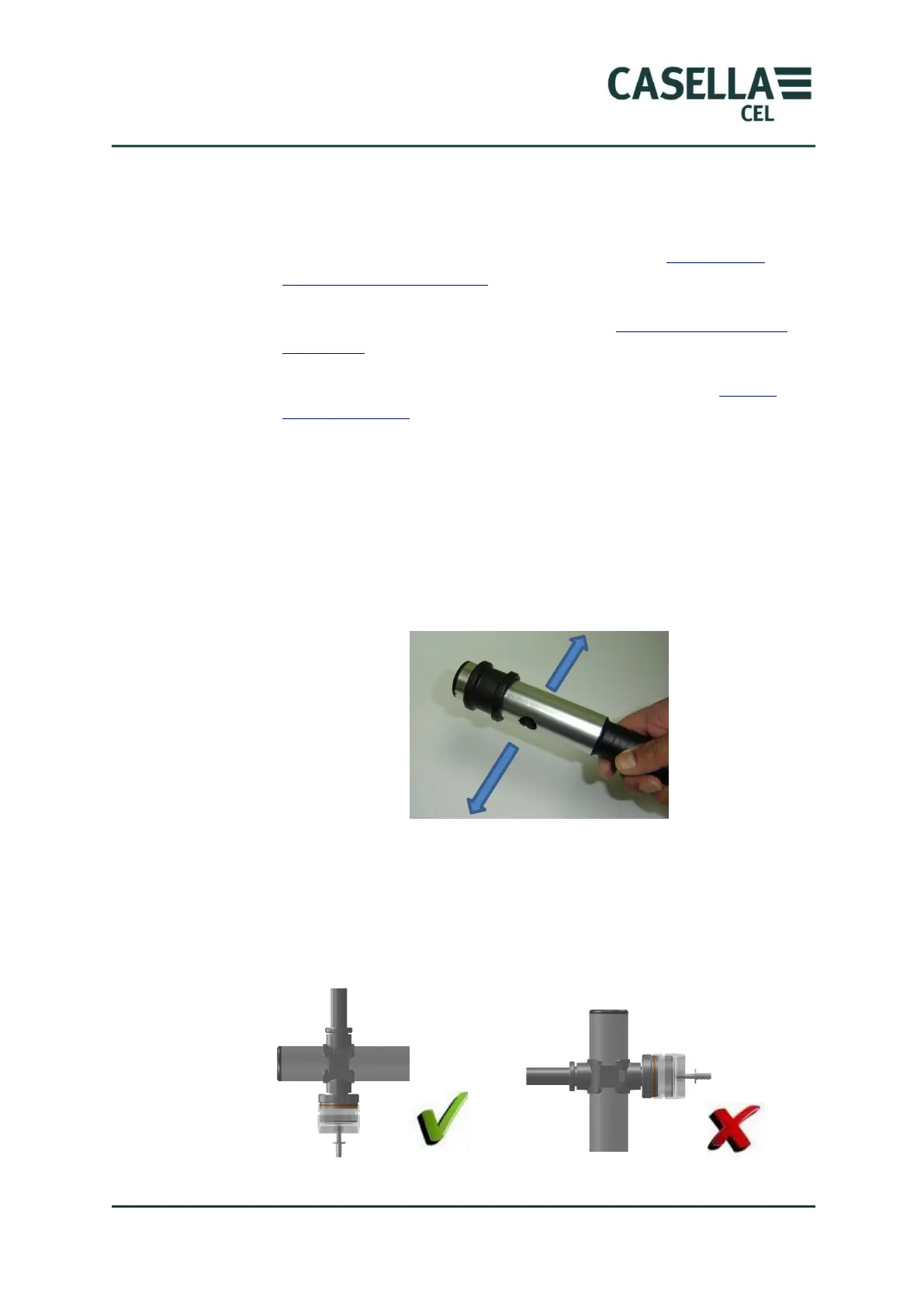
1. Open the probe collar fully to expose the measuring chamber.
2. Move the probe through the aerosol by swinging the probe from left to
right as shown below. The natural movement of air is used to draw the
aerosol into the probes measuring chamber which should be aligned in a
horizontal plane.
If sampling via a gravimetric adapter, especially at high concentrations,
it is recommended to orientate the probe in a horizontal axis as shown.
This enables dust to fall through the sampling chamber thus reducing
the risk of optical contamination. If the probe is aligned vertically,
there is an increased risk of particulate material ‘settling out’ due to
gravity and subsequently dropping down inside the probe.



 To Next Page