CEL-712 Microdust Pro Real-time Dust Monitor
36 Casella Measurement
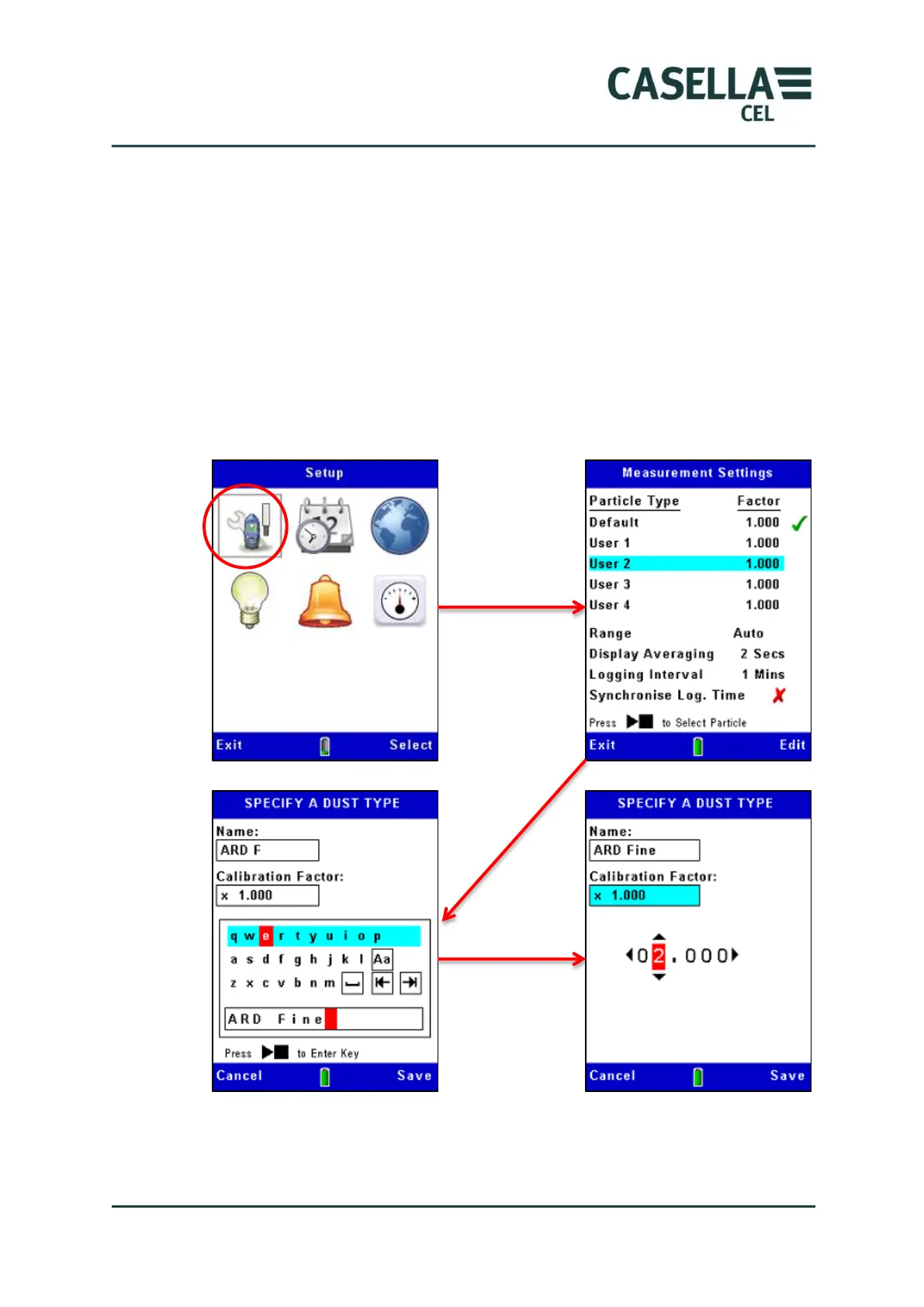
Refer to Figure 18 for the steps to use the setup mode to enter the name and
calibration factor for a user-defined particulate type.
When you use the instrument to measure this type of particulate again, select
the appropriate type from the list so the stored correction factor is applied
automatically to the measured values.
It should be noted that the use of large correction factor values (ie, >x2 ) may
degrade the instruments noise performance and lead to a reduction in
measurement resolution such that the smallest displayed value change exceeds
one significant digit on the display.
Figure 18 Applying the correction factor
Use the
navigation keys
to select a
letter, then
press the
Run/Stop key
to accept the
selected letter



 To Next Page