CEL-712 Microdust Pro Real-time Dust Monitor
21 Casella Measurement
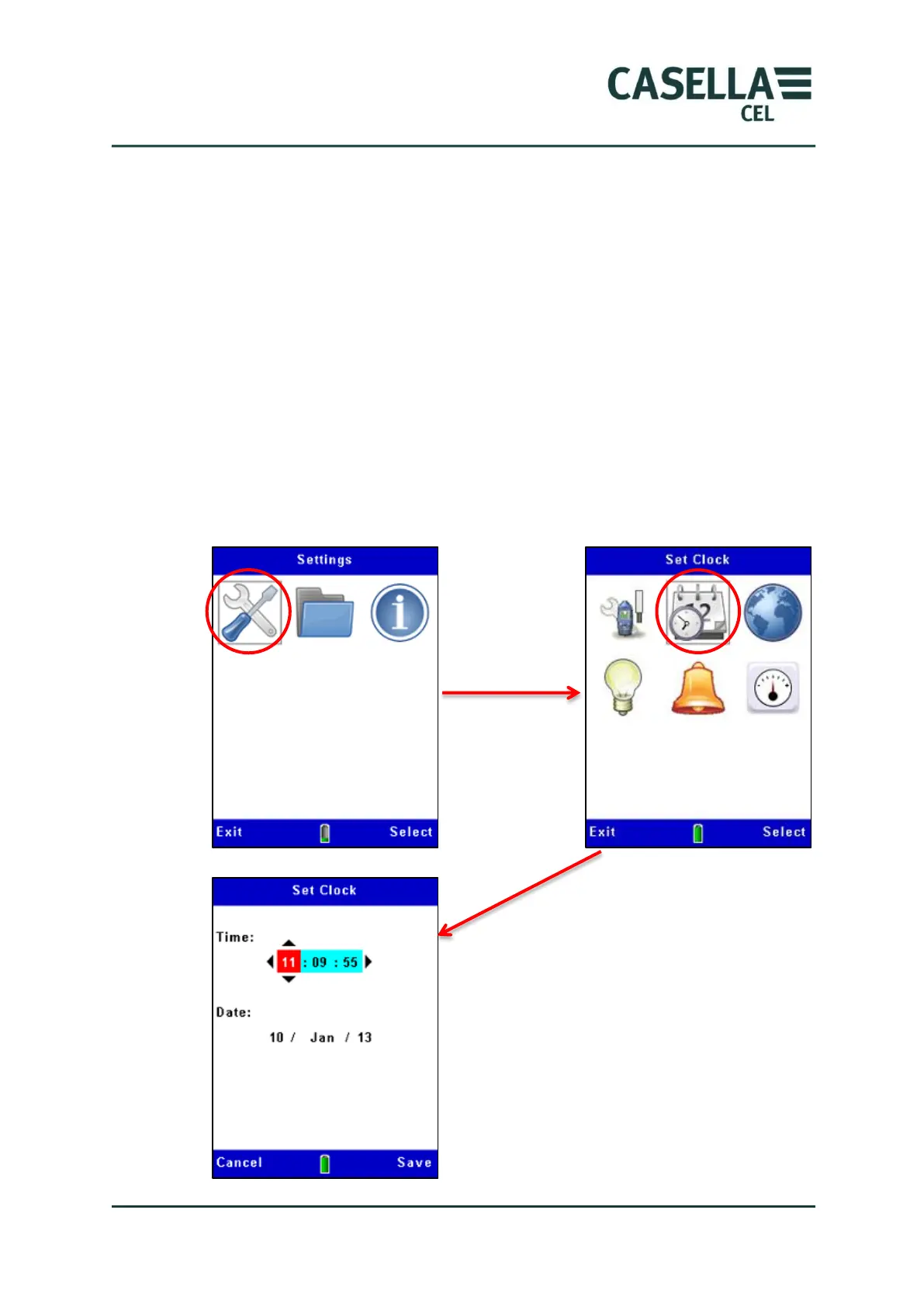
3.7 Set the time and date
The Microdust Pro instrument has an internal clock, which allows the
instrument to record the date and time of each measurement. The Time Set
screen allows you to set the date and the time, and to change the settings when
necessary.
1. From the main Setup Menu, select the Settings option. he Casella
Insight application.
2. Figure 8 shows how to set the time and the date. Press the Save soft
key when the second hand of a reference clock reaches the start of a
minute to set the exact time for the instrument.
The Time and date may also be set from the PC when using the Casella Insight
application.
Figure 8 Setting the time and date
After you start to edit the time and
date, the Edit soft key changes to
Save.
Press the Save soft key to save any
changes to the date and time.



 To Next Page