EN-9
Timekeeping
Use the Timekeeping Mode to set and view the current
time and date.
To set the time and date
1. In the Timekeeping Mode, hold down A until the
seconds start to flash, which indicates the setting
screen.
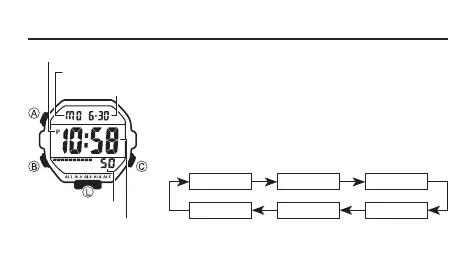
2. Press B to move the flashing in the sequence shown
below to select other settings.
B B
B
Seconds Hour Minutes
Day YearMonth
B B
B
Seconds
Day of week
PM indicator
Month – Day
Hour : Minutes



 To Next Page