EN-14
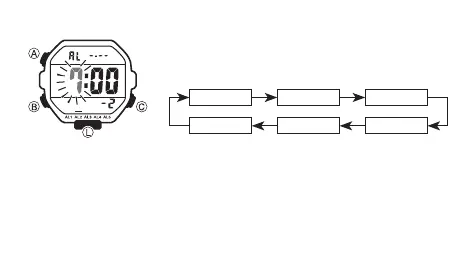
To set an alarm time
1. In the Alarm Mode, use C to scroll through the alarm
screens until the one whose time you want to set is
displayed.
C C
C
–1 –2 –3
:00 –4–5
C C
C
• Alarm 1 has a snooze feature.
• The snooze alarm operation repeats every five minutes.
2. After you select an alarm, hold down A until the hour setting of the alarm time
starts to flash, which indicates the setting screen.
• This operation automatically turns on the alarm.



 To Next Page