33
Snapshot Tutorial
. To pre-record the faces of family members, etc.
1. In the REC mode, press [SET].
2. Use [8] and [2] to select the fifth Control Panel option from the top
(Face Recognition).
3. Use [4] and [6] to select “K Record Family” and then press [SET].
4. With the camera pointed straight at the face
of the person you want to pre-record, align
the frame on the monitor screen with the face
and then press the shutter button.
5. When the message “Face recognition
successful!” appears, use [8] and [2] to
select “Save” and then press [SET].
NOTE
• You can pre-record a total of 12 faces, for up to six different individuals.
• Face data is stored in the camera’s built-in memory, in a folder named “FAMILY”
(page 118).
. To assign a priority level to pre-recorded face data
You can use the procedure below to assign names and priority levels to pre-recorded
faces.
1. In the REC mode, press [SET].
2. Use [8] and [2] to select the fifth Control Panel option from the top
(Face Recognition).
3. Use [4] and [6] to select “J Edit Family”
and then press [SET].
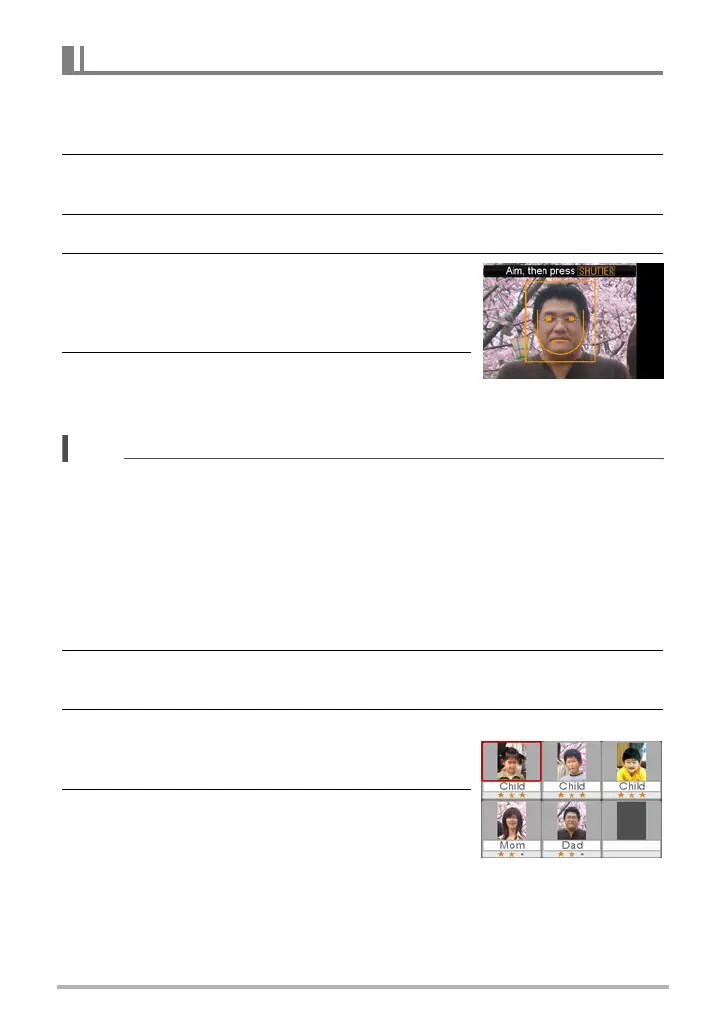
This will display the face data editing screen.
4. Use [8], [2], [4], and [6] to select the face
data you want to edit, and then press [SET].
Using the Family First Mode (Family First)
Face data editing screen


 To Next Page
 Loading...