15-12
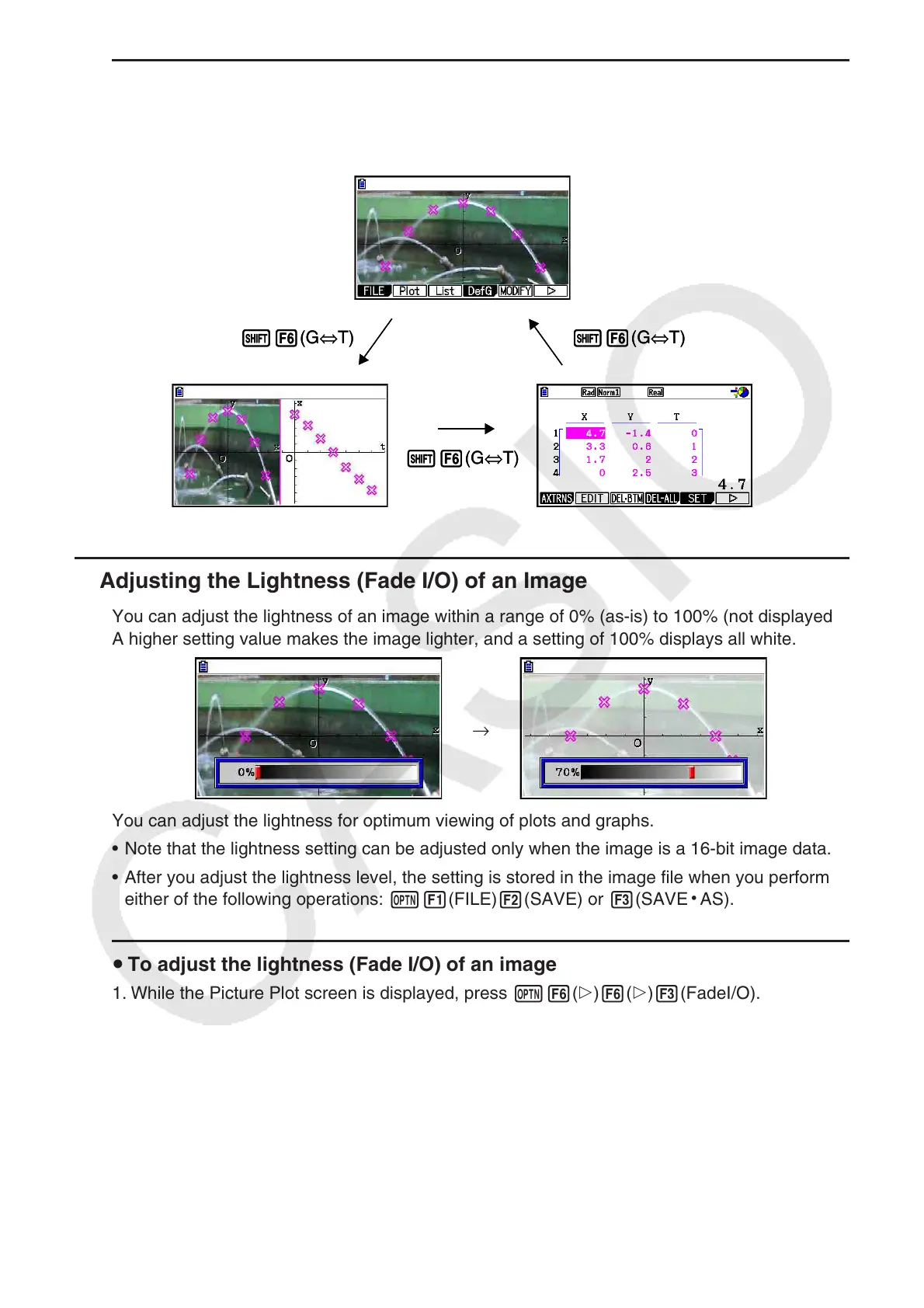
u To maneuver between the Picture Plot screen, AXTRANS screen, and plot
list screen
Once you display the plot list screen and AXTRANS screen (page 15-14), each press of
!6(G⇔T) cycles between the Picture Plot screen, AXTRANS screen, and plot list screen.
k Adjusting the Lightness (Fade I/O) of an Image
You can adjust the lightness of an image within a range of 0% (as-is) to 100% (not displayed).
A higher setting value makes the image lighter, and a setting of 100% displays all white.
→
You can adjust the lightness for optimum viewing of plots and graphs.
• Note that the lightness setting can be adjusted only when the image is a 16-bit image data.
• After you adjust the lightness level, the setting is stored in the image file when you perform
either of the following operations: K1(FILE)2(SAVE) or 3(SAVE
•
AS).
u To adjust the lightness (Fade I/O) of an image
1. While the Picture Plot screen is displayed, press K6(g)6(g)3(FadeI/O).
• This causes a slider for adjusting image lightness to appear on the display.
2. Use d and e to adjust the lightness value.
• You can also input values directly, if you want. To specify a lightness value of 20%, for
example, press caw.
3. After the setting is the way you want, press w.
!6(G⇔T)
!6(G⇔T)
!6(G⇔T)!6(G⇔T)
!6(G⇔T)
!6(G⇔T)

















 To Next Page