Playing Notes with Different Tones
EN-16
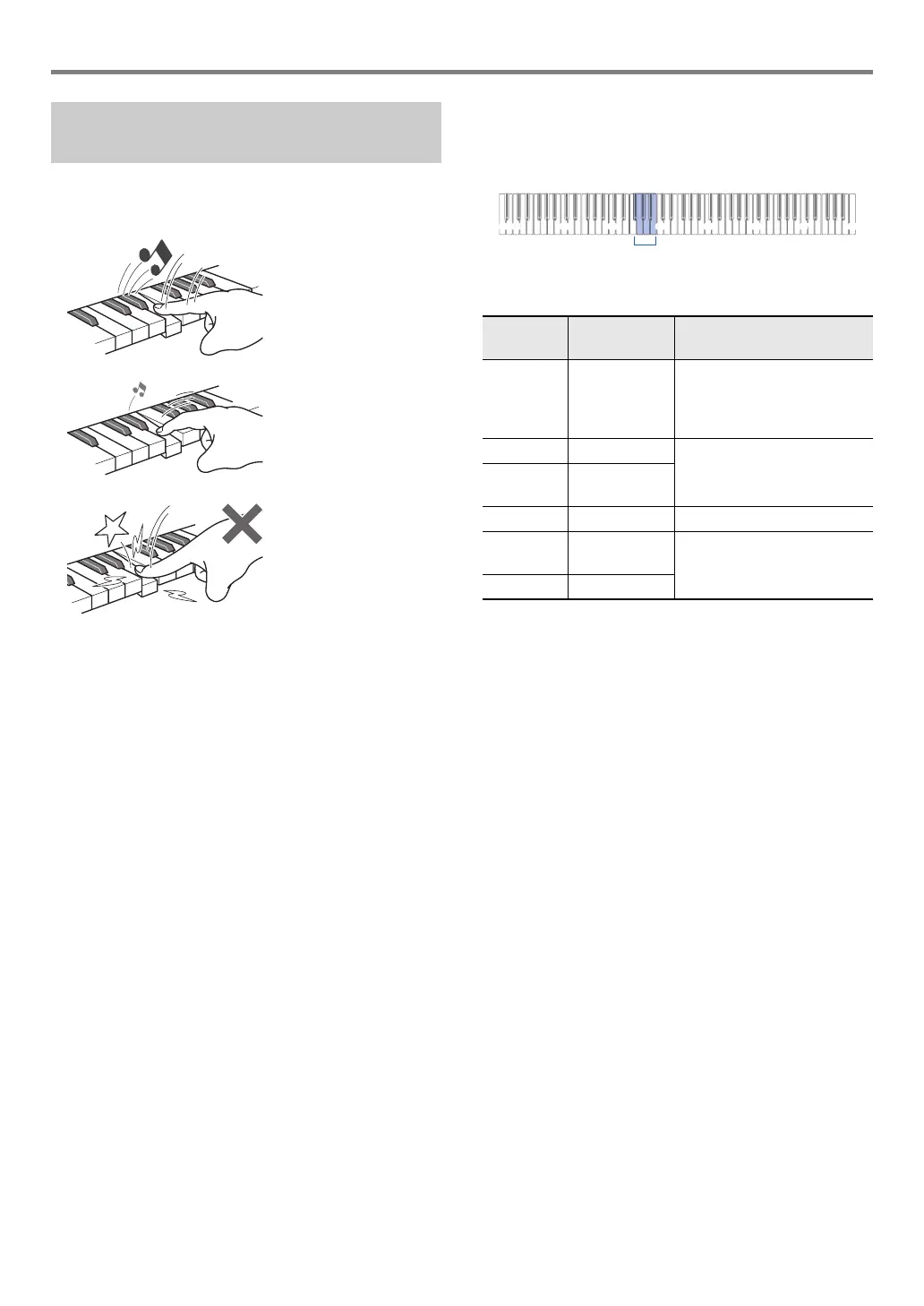
Touch Response alters tone volume in accordance with
keyboard pressure (speed). This provides you some of the
same expressivity you get on an acoustic piano.
■ To change touch response sensitivity
1.
While holding down 8 GRAND PIANO, press
a keyboard key from F{3 through B3.
• The table below shows the Touch Response sensitivity
settings assigned to each keyboard key.
2.
Release 8 GRAND PIANO.
Changing Keyboard Response to
Touch Pressure (Touch Response)
Pressing fast produces
louder notes.
Pressing slowly
produces softer notes.
Do not try to use too
much pressure.
Pressing
this key:
Selects this
setting:
Which does this:
F{3 Off Disables Touch Response.
Sound volume is fixed,
regardless of key press
speed.
G3 1: Light Makes production of a louder
sound easier, so touch feels
lighter than “Normal”.
A}3 2: Medium
light
A3 3: Normal Specifies normal sensitivity.
B}3 4: Medium
heavy
Makes production of a louder
sound more difficult, so touch
feels heavier than “Normal”.
B3 5: Heavy


 To Next Page
 Loading...