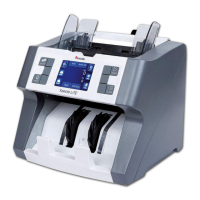
Cassida TillTally Money Counting Scale
3.4 Displaying results of your count
The result of the total value of the counted coinage and paper currency is
displayed in the Amount/Sum area of the display. To see a display of the type,
quantity and total of each amount placed on the TillTally scale, press < or > to
scroll through the counting information.
3.5 Printing a record of your counting
To print results from cashing out, connect the money scale to a receipt printer
and turn it on. In the normal counting mode, press +. The message PRINTING will
appear.
NOTE: The receipt printer is available through Cassida authorized dealers.
3.6 Deleting the complete counting process
Press CLEAR to delete the complete counting process. Caution: The information
cannot be retrieved once it is cleared.
3.7 Deleting a single counting result
Single results of the counting process can be deleted by pressing INFO once.
Select the desired denomination by pressing < or >. Once the denomination is
selected, press CLEAR and the sum of the selected denomination will be deleted.
11



 To Next Page