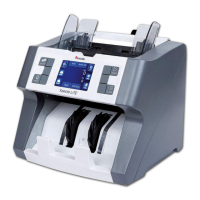
Cassida TillTally Money Counting Scale
To continue with SETUP menus, press < or >. To exit the CURRENCY set up menu,
press CLEAR.
In regular counting mode, the CURRENCY you are counting is signied in the
lower right of the screen, next to AMOUNT.
5.11 Factory Settings
Reset all saved settings, including calibration of the coin cup. To change to
FACTORY SETTINGS, press and hold OK when FCTRY SET is shown in the SETUP
menu.Theprocedureisnishedwhenthreeaudiblebeepsareemittedfromthe
scale. After resetting the device to factory settings, the scale will need to be
recalibrated. Follow the CALIBRATE procedure above.
5.12 Eco Mode
When this mode is activated, the scale will turn itself OFF after a preset amount
of time. To change ECO MODE, press OK when ECO MODE is shown in the SETUP
menu. Press < or > to choose OFF, 15 minutes, 30 minutes, 45 minutes or 60 minutes.
PressOKtoconrmyourchoice.
To continue with SETUP menus, press < or >. To exit the ECO MODE set up menu,
press CLEAR.
5.13 Contrast
Increase or decrease the contrast of the TillTally screen to make it more visible
in your environment. To change CONTRAST, press OK when CONTRAST is shown
in the SETUP menu. Press < or > to choose a value between 1 (darkest) and 12
(brightest).ThedefaultsettingfortheTillTallyis10.PressOKtoconrmyourchoice.
To continue with SETUP menus, press < or >. To exit the CONTRAST set up menu,
press CLEAR.
19



 To Next Page