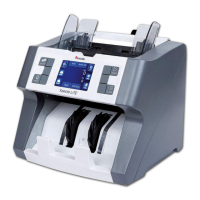
Cassida TillTally Money Counting Scale
5.5 Reference
This function allows you to set the REFERENCE weight of non-money items,
allowing you to count tickets, small hardware pieces, coupons, vouchers, etc.
To set REFERENCE weight, press OK when REFERENCE is shown in the SETUP menu.
Place 20 items of the object to be counted directly on the cup support hod.
An audible tone will emit from the scale conrming the items were counted
successfully. Press OK to save the reference weight.
To continue with SETUP menus, press < or >. To exit the REFERENCE set up menu,
press CLEAR.
5.6 Calibrate
Use this function if your TillTally Elite scale has been moved; your location has had
a change in humidity; the scale has fallen or was knocked; or if you think your
scale is not weighing properly. To CALIBRATE, press and hold OK when CALIBRATE
is shown in the SETUP menu. Scale will clear its weight then prompt 500.0 g WGHT
NEEDED. Place the metal weight that came with your scale directly on the cup
support hod. Press OK. You’ll hear an audible tone and the message SCALE ready
will appear on screen. The scale will turn itself off. Remove the metal weight from
the cup support hod and turn the scale ON.
To calibrate the TillTally scale, use the FACTORY SETTINGS function described
below.
5.7 Auto Continuation
This function permits the user to automatically count through all denominations,
from lowest to highest, without having to use the < or > keys to move to the
next denomination ON is the default setting. To change or congure AUTO
CONTINUATION, press OK when AUTO CONT is shown in the SETUP menu. Press <
or>tochooseONorOFF.PressOKtoconrmyourchoice.
To continue with SETUP menus, press < or >. To exit the AUTO CONT set up menu,
press CLEAR.
17



 To Next Page