CATEYE MICRO Wireless
Quick Start Manual
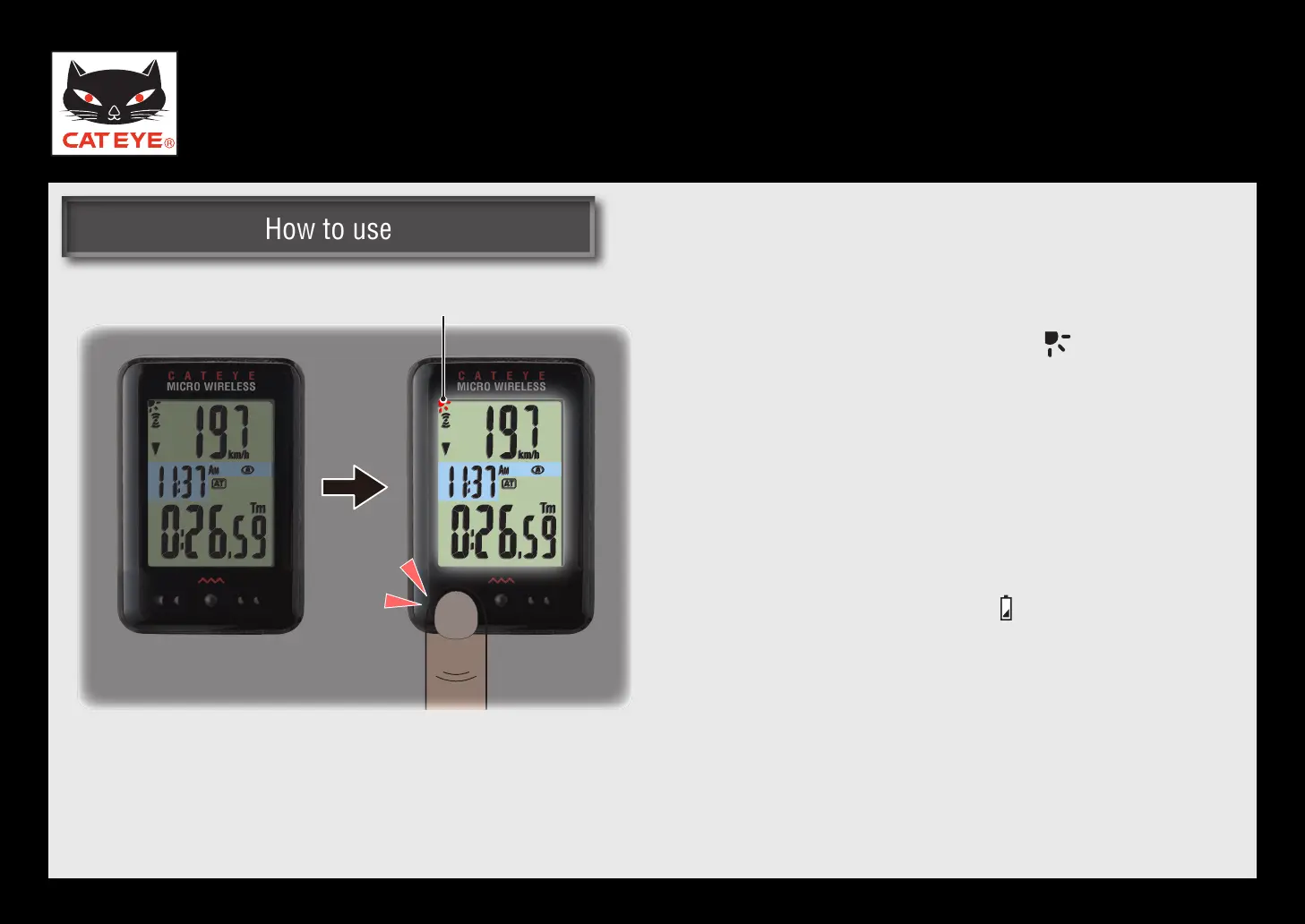
Backlight (Night mode)
Night mode
With the night mode turned on ( ON), press-
ing the MODE button turns on the backlight for
5 seconds.
When the backlight is turned on, pressing any
*
button turns on the backlight for another 5
seconds.
The night mode is automatically turned off
*
without any signal received for 10 minutes.
When the battery level falls (* ON), the backlight
is not turned on even if the night mode is on.
Night mode
Return to Various functions













 To Next Page