CATEYE MICRO Wireless
Quick Start Manual
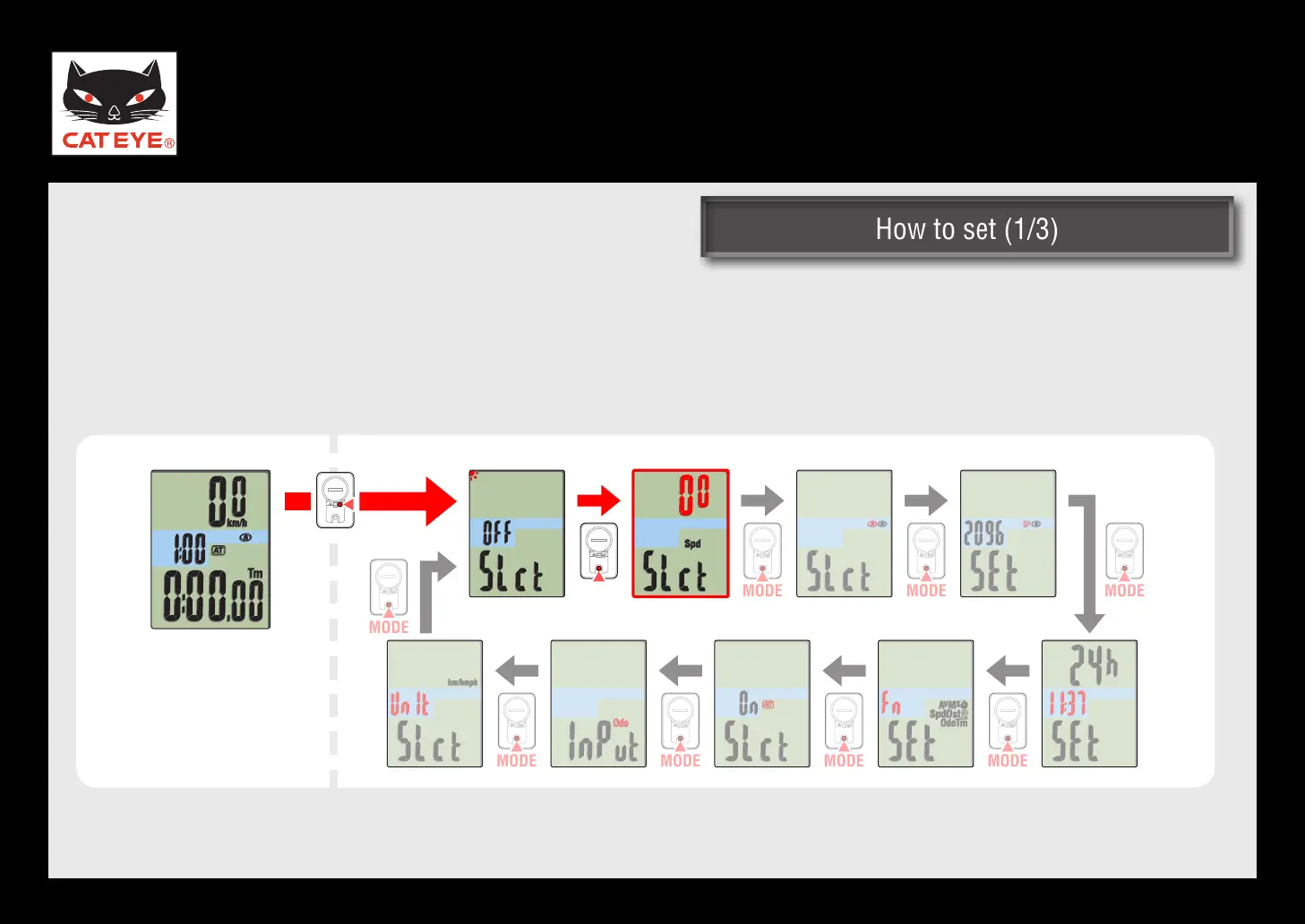
How to set (1/3)How to set (1/3)
Upper display selection
How to set the upper display (1/3)
From the measuring screen, press the MENU button to switch to the Menu screen.
Press the MODE button once to flash the number in the upper display, and press and hold the MODE
button.
Measuring screen
Upper display selection screen
Menu screen
Return to Various functions













 To Next Page