8
Rear Panel
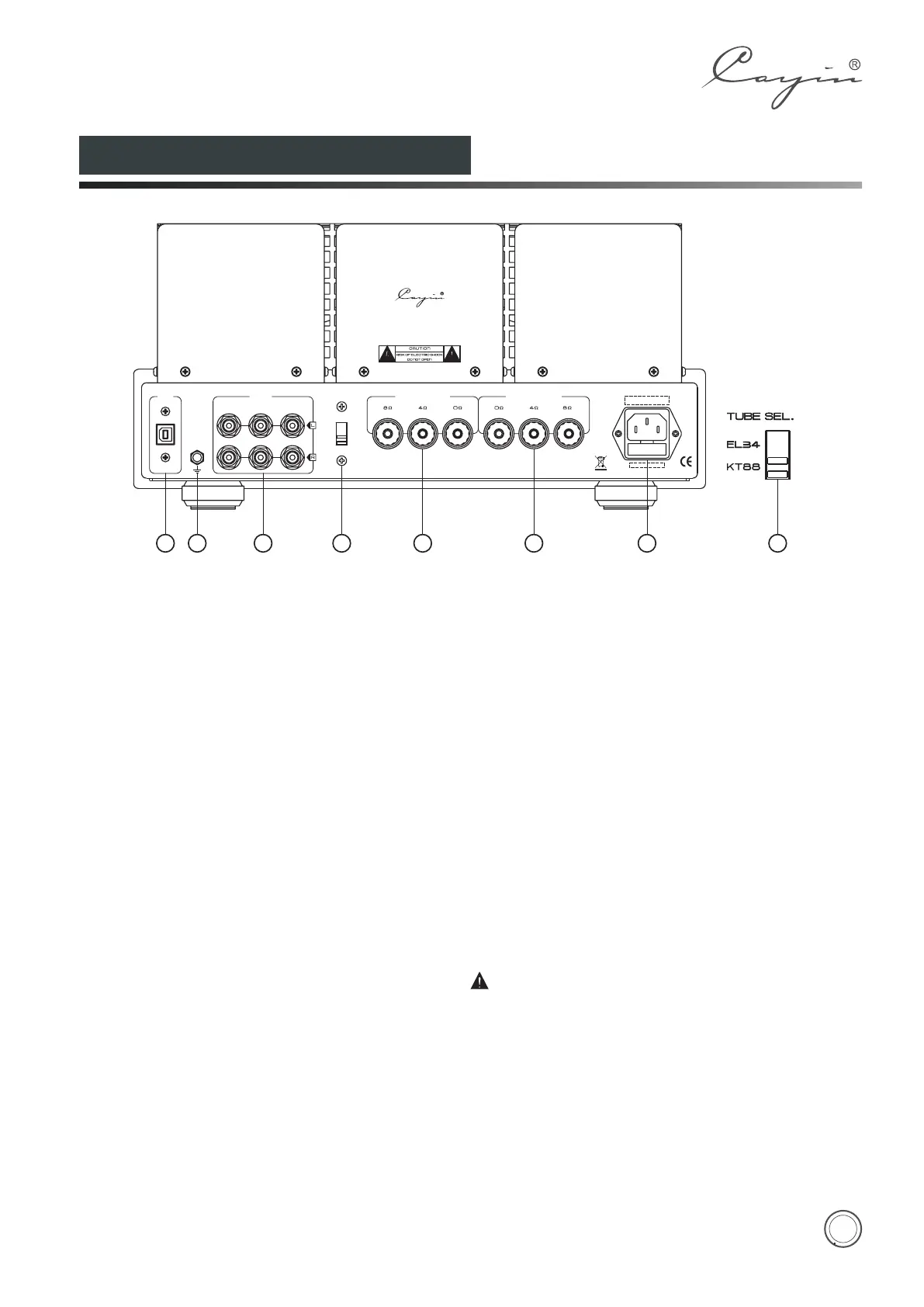
①.USB Interface
Connect to the computer with USB cable.
②.Ground
Ground for Phono input
③.Signal Input Terminal
Used for audio source input.
④.Tube Selector
Select tube EL34 or KT88 .
⑤. Right Channel Output
Used to connect with the right channel of speaker.
⑥. Left Channel Output
Used to connect with the left channel of speaker.
⑦. Power Socket with Main Fuse
Main fuse is located just below the power socket.
Replace the fuse with the same type and value.
Method of Power Tube Replacement:
1. Refer to the "Tube Replacement" on page 13 and
find out which kind of tubes can be used for
replacement for CS-55A amplifier.
2.Tube Sel. switch on the rear panel must be turned to
position KT88 if you are going to use KT88 series of
tubes for replacement.
3.Tube Sel. on the rear panel must be turned to
position EL34,if you are going to use EL34 series of
tubes for replacement. Bias adjustment instruction
please refer to the manual instruction on page 9.
Please turn off the amplifier when you are
turning the Tube Sel. Switch.
1
3
42
4 5 6 7
MODEL : CS - 55A
SER. NO. :
VACUUM TUBE INTEGRATED AMPLIFIER
INPUT
CD
AUX
PHONO
GND
RIGHT OUTPUT LEFT OUTPUT
USB
ZHUHAI SPARK ELECTRONIC EQUIPMENT CO.,LTD.
TUBE SEL.
EL34
KT88
Diagram 2:CS-55A BACK


 To Next Page