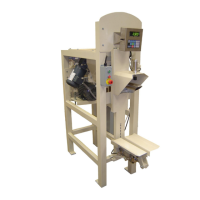
230 Series Auger Packer
49 OF 115
outlined below. Set the packer scale to stop filling at 80% of the desired bag weight. Fill several bags at
the reduced capacity and check weights. If weights are good, gradually increase the set weight until the
weights again become erratic. If it is determined that the bag is too small, consult the bag supplier for
help in selecting a bag of the proper size.
Possible cause: Vibration
Check for vibration which may be transmitted to the weighing system from possible sources such as
loose or worn V-belts, dry or worn bearings, etc.
Check for vibration which might be transmitted from vibration from other equipment in close proximity
to the packer .It may require floor or bin isolation dampening.
Possible cause: Misc Influence
Check for possible sources of influence to the weighing system such as hoses or cables, product build-up,
loose or missing hardware, etc.
Possible cause: Auger Influence
Check that the auger is not bent, broken, or bearings loose or wore out.
Ensure that the auger is centered in the spout and not rubbing.
Possible cause: Spout Influence
Check that the spout and cone are concentric and are not touching.
Check the flexible seal for damage, build-up of material causing bulging and not allowing the scale to
move freely.
Check for build of material on the wall surface of the inside of the fill spout restricting movement of the
scale. Restricting scale movement will cause erratic weights.
Possible cause: Non-Influencing spout
Check to make sure the inner and outer spout is not touching
Check for build of material between the inner and outer fill spouts restricting movement of the scale.
Restricting scale movement will cause erratic weights.


 To Next Page