GB
14
An electronic device switches all the 12V mains off, when the leisure battery reaches the minimal voltage
level of 10V. It is possible to switch on again all the mains for 1 minute by switching off and then on again
the main switch.
This function is used during the water tank refilling and it shows the level reached by the water.fresh
TEMPERATURE (only for PC200 )“ ”
MINIMAL VOLTAGE CONTROL
They are also automatically switched on again when the voltage is > 12V.
The fridge, the electrical step and the mains powered directly from B2 are excluded from this device.
FRESH “ ” WATER TANK REFILLING (only for PC200 )
You switch on this function by visualizing the water tank and by keeping pushed the tank switch for
more than 3 seconds.
fresh
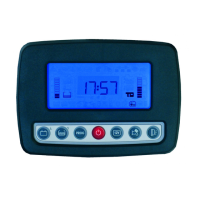
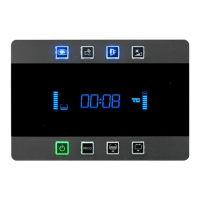
When this function is on, you see getting lightened, in sequence, the horizontal segments of the number ref.
18 and the panel emits sounds in order to warn that the tank is getting filled:
1 short sound at 75%, 2 short sounds at 85% and 1 long sound at 95%.
ELECTRONIC TANKPROBE (only for PC200 )“ ”
The electronic tankprobe mod. “SPE” is a capacitive tankprobe. It is powered with 5V and a back-signal
from 0 to 2,5V.
Each 8 seconds the microprocessor gives power to the tankprobe; it is also powered each time you push
the tank-test button. This was studied in order to avoid useless consumption.
- Internal and external temperatures are measured through sensors which are placed inside and outside of
the vehicle.
- The measuring precision is ± 1°C.
CLOCK (only for PC200 )“ ”
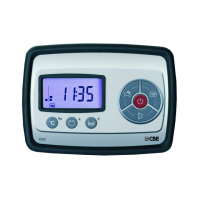
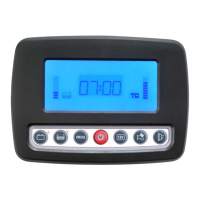
When one switches on the panel, the time gets displayed; after every test-function the time gets displayed
again.
The progammation is sequential: to shift to the next parameter push the button ref. 1.
2. Voltmeter B2. With the buttons ref. 2 and 3 one can modify the displayed value in 0,1V steps
4. Internal temperature. With the buttons ref. 2 and 3 one can modify the displayed value in 0,5°C steps
To enter the programmation menu turn on the control panel with the switch ref. 5 while keeping pushed the
buttons ref. 2 and 3.
1. Voltmeter B1. With the buttons ref. 2 and 3 one can modify the displayed value in 0,2V steps
By pushing the test button ref. 1 for the third time, one confirms the clock setting.
SETUP (only for PC200 )“ ”
By pushing the test button ref. 1 again, one can start setting the minutes’ digits.
In order to set the clock, keep pushing for 2 secs the test button ref. 1 while the time gets displayed. The
hours’ digits start blinking and by pushing the test buttons ref. 2 e ref. 3 one can modify their value.
5. External temperature. With the buttons ref. 2 and 3 one can modify the displayed value in 0,5°C steps
Pushing again the button ref. 1 you exit the programmation menu.
3. Amperemeter B2 (N.C).



 To Next Page