Tachograph programmer CD400 - User manual – V2.00 r07 (9/01/2014) index
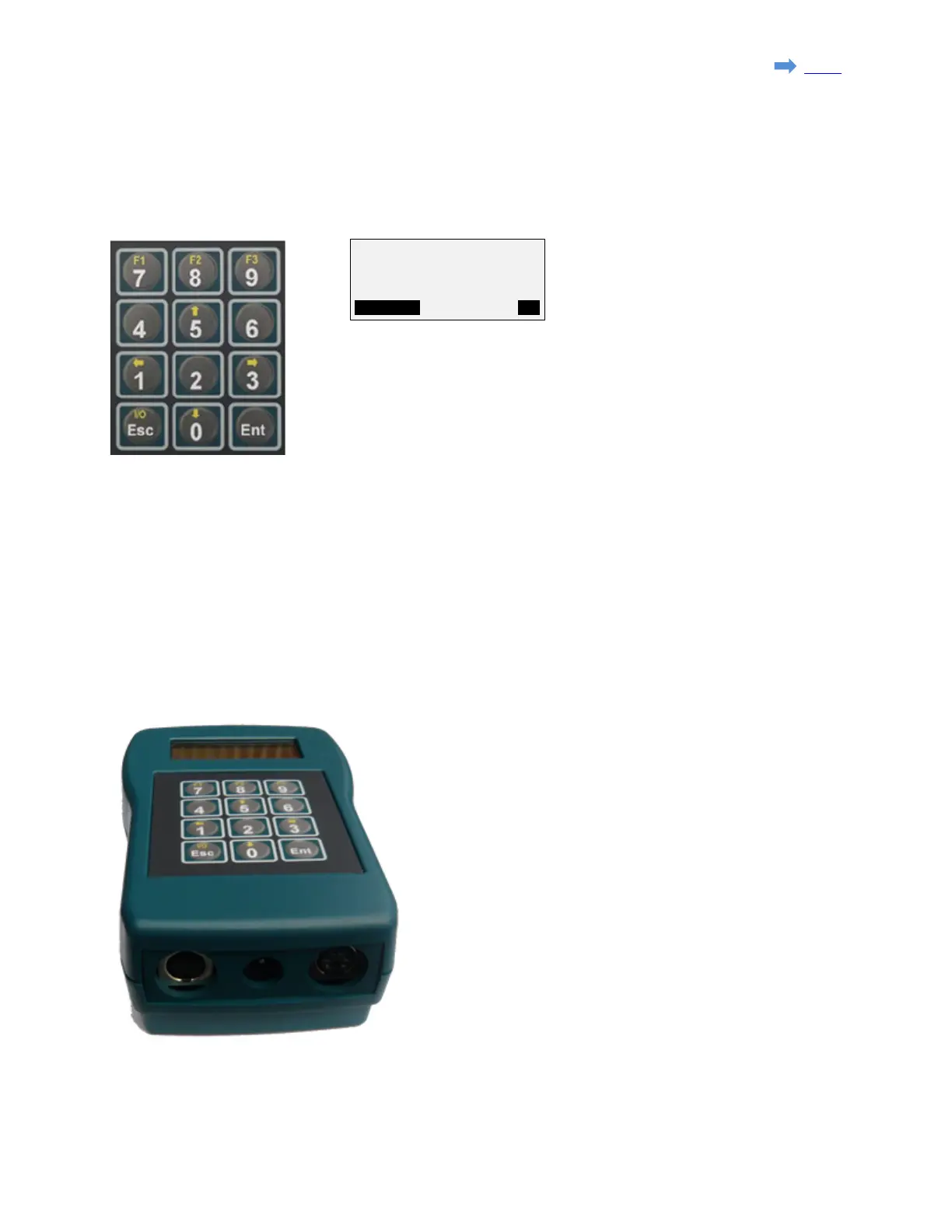
2.2. Keyboard
- Alternate function keys 'F1', 'F2' & 'F3' are active when a function in
inverted video appears on the bottom line of the display.
F1= MODIFY, F3=OK
- Alernate function key '↑' & '↓' are used for example to navigate the
menus.
- Alernate function key '←' & '→' are used to select the digit in some
parameters.
- 'Ent' (=Enter) is used to select a function or enter a value.
- 'Esc' key is used to go back in the menu, leave a function, to erase
the last digit entered and to switch the programmer ON & OFF when
powered by the battery.
2.3. Connections
- Left connector:
Serial port for software upgrade (upgrade cable).
- Center connector:
Connection for crocodile clip cable (K13xx/K1318).
- Right connector:
Connection for tachograph cable.
Page 4 sur 23


 To Next Page