15
cdvigroup.com
A22K
High Security Access Control 2-Door Module
5] WIRING DIAGRAM
Out of the box the A22K is ready for IP connectivity, fty (50) A22K per account. If you have more than one
A22K controller per account, one must be set as the “Master” controller to manage the others. These forty
(49) others are dened as “Sub-Controllers”.
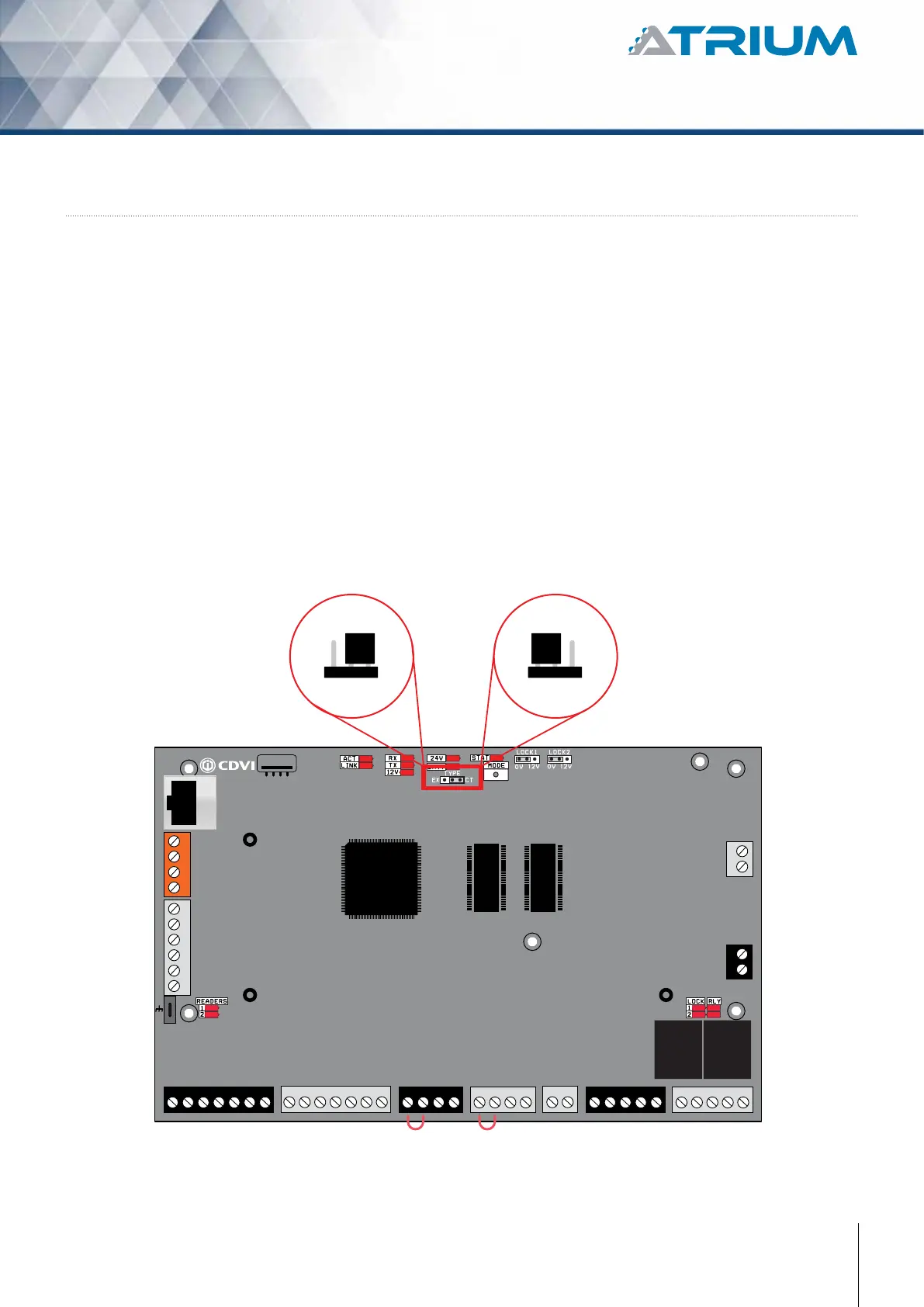
The exibility of the A22K module allows it to be set also as an “Expander”. Up to four (4) A22K set as
an “Expander” can be connected to the RS485 Local Bus (orange connector) of a “Master” or
“Sub-Controllers”. ATRIUM give you a total of 500 doors system (100 doors connected IP + 400 doors
connected RS485). Simply adjust the “Module Type” jumper setting as shown below.
Module Type Jumper Setting
(Controller or Expander)
EX CTEX CT
or
Module is set as a
“2-Door Controller”
(Default Setting)
Module is set as a
“2-Door Expander”



 To Next Page