21
cdvigroup.com
A22K
High Security Access Control 2-Door Module
INPUTS
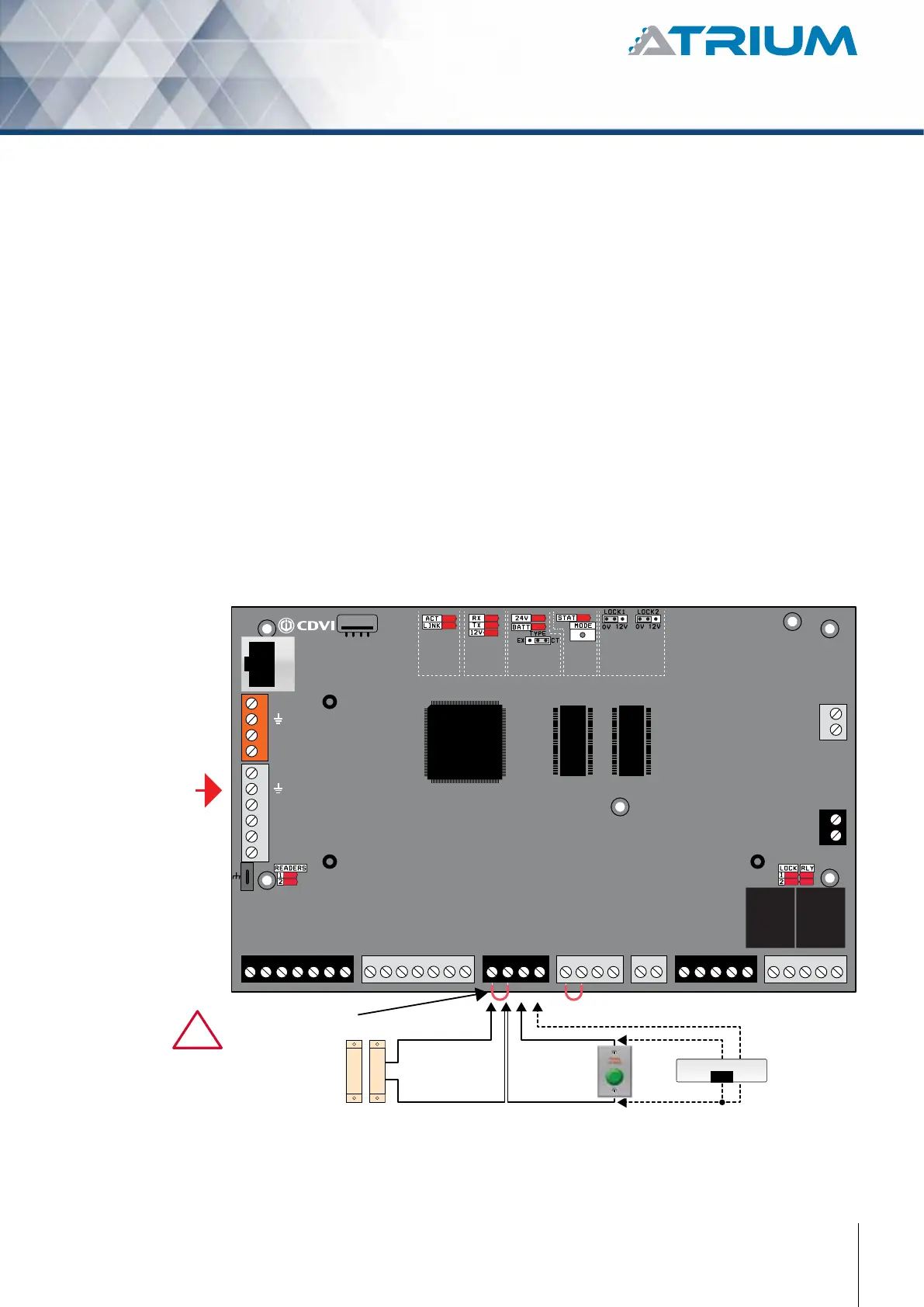
The A22K can monitor the state of up to 6 devices (12 using zone doubling) such as magnetic contacts, motion
detectors, temperature sensors, or other devices. The following are examples of the type of inputs that can be
monitored:
Magnetic Door Contact:
Permits supervision of door “status” (opened, closed, opened too long, forced open). Inputs “Door
Contact 1” and “Door Contact 2” are assigned by default. When a magnetic door contact is installed,
the system can dierentiate between a door forced open and an authorized exit.
Request to Exit (REX):
The device used can be a push button, vertical-view motion detector or oor mat sensor. Inputs “REX
1” and “REX 2” are assigned by default for Door 1 and Door 2 REX inputs respectively.
Two Extra Inputs
(4 using zone
doubling)
+12V DC
+24V DC
-
+12V DC
-
+12V DC
A+
B-
Input 1
Input 2
Output 1
Output 2
INPUT
POWER
SUPPLY
RS485
LOCAL
BUS
ETHERNET
PORT
SYSTEM STATUS
EXTRA
INPUTS/
OUTPUTS
ETHERNET LOCAL BUS LOCK 1 & 2
JUMPER SETTING
STATUS
24V DC INPUT/
BATTERY/
MODULE TYPE
BATTERY
BACKUP
Door 1
Factory Default Input Settings
(same settings for door 2)
Remove the jumper
before installing
the door contact
N.C. Door Contact
N.C. REX1
+12VdcN.C.
Com.
-
READER DOOR 1
INPUT
DOOR 1
LOCK
DOOR 1
LOCK
DOOR 2
INPUT
DOOR 2READER DOOR 2
ENCLOSURE
TAMPER
SWITCH
INPUT
BUZ GRN RED D1 D0 GND 12V BUZ GRN RED D1 D0 GND GNDC112V 12VREX1 GND GND C1 NO1 NC1LK1+ LK1- C2 NO2 NC2LK2+ LK2-TMPC2 12VREX2
!
See “Recommended Wiring” section for more information on wiring type, size, and maximum length.



 To Next Page