55/60
A
The screen displays the welding current in amps and the welding voltage in volts.
B
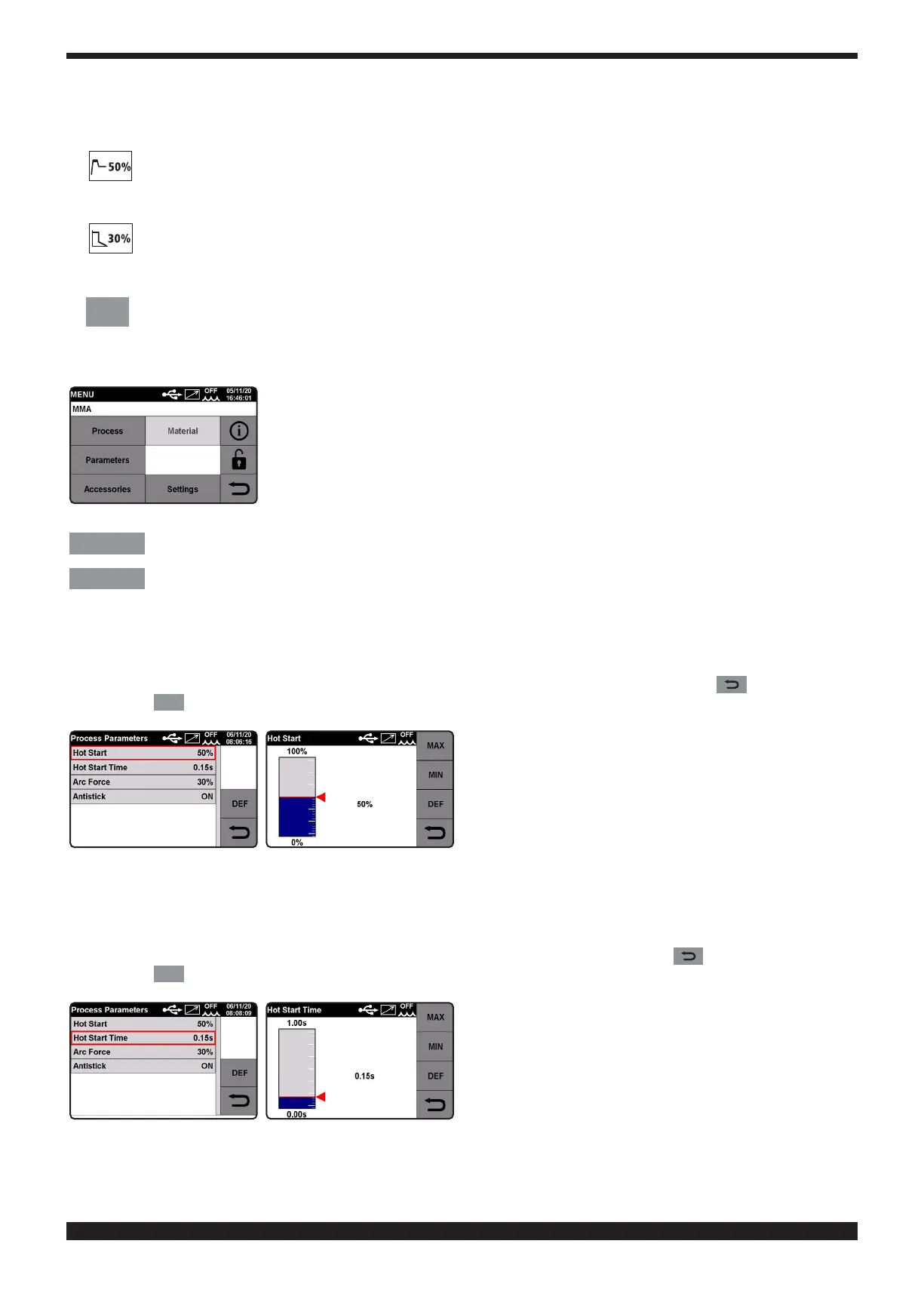
Hot Start.
This is the overvoltage supplied when the arc is ignited.
This is adjustable from 0 to 100% of the set welding current.
C
Arc Force�
This regulates the dynamic characteristics of the arc.
This is adjustable from 0 to 100% of the set welding current.
F
MENU
Menu�
Touch to select this function.
Select to enter the Main Menu.
Process
SELECTING THE WELDING PROCESS, MIG, or MMA (see explanation in chapter on MIG Process).
Parameters
PROCESS PARAMETERS SELECTION
• Hot Start�
This is the overvoltage supplied when the arc is ignited.
This is adjustable from 0 to 100% of the set welding current.
Turn knob 2 to select the parameter and conrm the selection by pressing the knob.
Adjust this value by turning knob 2. To conrm the selection simply hold down knob 2 or key .
Press the
DEF
key to restore factory settings.
• Hot Start Time�
This is the overvoltage time supplied when the arc is struck.
Adjustment ranges from 0 to 100 sec.
Turn knob 2 to select the parameter and conrm the selection by pressing the knob.
Adjust the value by turning same knob 2� To conrm the selection press knob 2 or key .
Press the
DEF
key to restore factory settings.







 To Next Page