Use 5
FI100K0025v1100 UK - - PD240CH
2 Use
2.1 Turning on
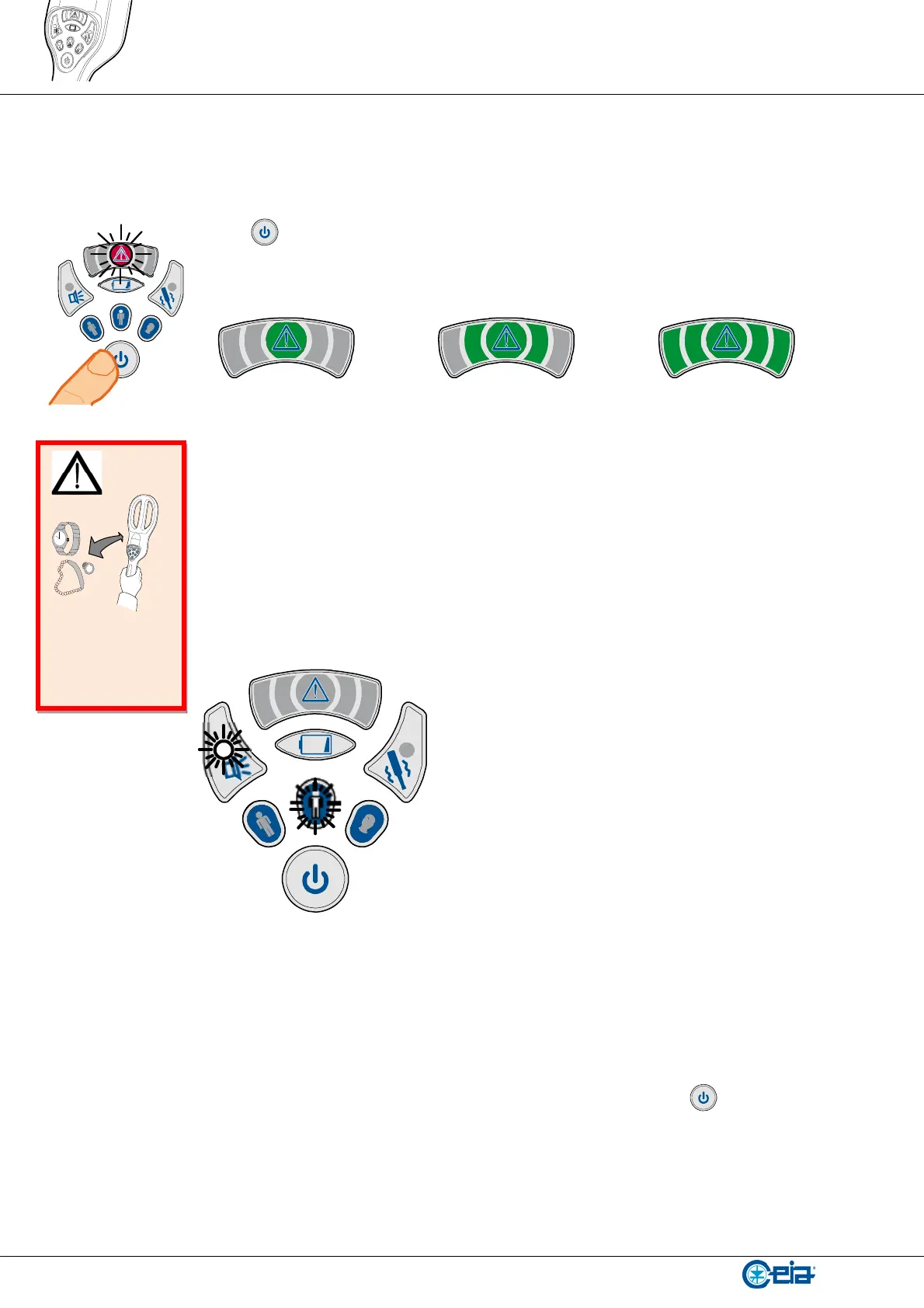
Press push button. The red central light of the alarm indicator turns on.
The battery level is displayed for approx. 2 seconds through a green bar-graph.
< 30% 30% … 70% >70%
The detector is “ready for use” when all alarm indications stop (approx. 2 seconds after
turning on).
The lights inside the push buttons “alarm signaling mode” and “sensitivity selection” blink
according to the current setting.
Example of “ready for use” indication: acoustic alarm enabled and “body” mode setting.
2.2 Status verification
The device settings are indicated by a periodic flashing of the inner lights of the selection
push buttons. The same indication is also displayed by pressing
push button briefly.
Keep away
from metal
objects during
start-up!






 To Next Page