Chapter 9 –UFED Report Manager Software
User Manual 37
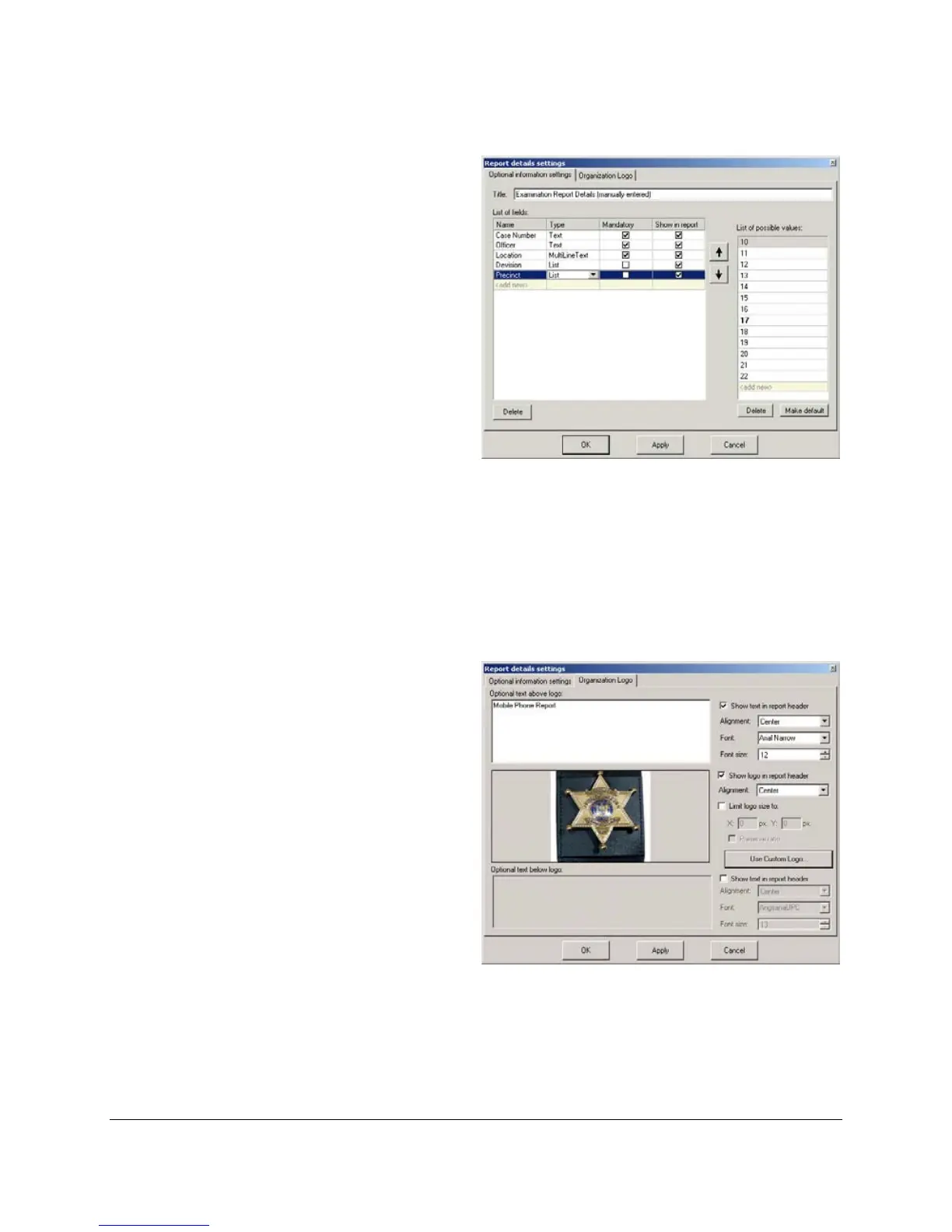
• Name – The name of the
field as it will appear in the
report
• Type – Choose between
Text, Multi-Line Text or List.
If it is a List, you also specify
the possible values of the list
and the default value, in the
field on the right of the
window.
• Show in report– Specifies whether to show this field in the report.
• Mandatory – If the field is enabled, then this specifies if the field
must be filled in by the user, or if it is optional and can be left blank.
On the Organization Logo tab, you
can design the report header
formatting. Specify a logo to appear
in the header, and add text to
appear above and below the logo.



 To Next Page