EAGLE CONTROLLER – INSTALLATION & COMMISSIONING INSTRUCTIONS
21 EN1Z-0970GE51 R0918
Table 18. Relay specifications of the EAGLE
block 1 block 2
BO1…3 BO4 BO5…8
contact volt. AC
5…253 V 5…253 V 5…253 V
contact volt. DC
5…30 V 20…30 V 5…30 V
max. contact cur-
rent AC (resistive)
3 A 10 A 3 A
max. contact cur-
rent AC (induct.)
0.3 A* 10 A 0.3 A*
max. contact cur-
rent AC (induct.)
2 A** 10 A 2 A**
max. contact cur-
rent DC
3 A 7 A 3 A
min. load
100 mA /
5 Vdc
40 mA /
24 Vdc
100 mA /
5 Vdc
* typically 250,000 cycles; ** typically 50,000 cycles
NOTE: The total max. sum load for all binary outputs
(BO1…8) equals 14 A.
NOTE: Binary output 4 supports the switching of high in-
rush currents (e.g., motors, incandescent lights,
etc.). The max. allowed switch current is 80 A for a
duration of max. 20 ms.
ENGINEERING, COMMISSIONING
Please refer also to CARE - User Guide (Product Literature
No.: EN2B-0182GE51) for detailed information.
Required Preparations
In order to access (with a laptop or PC) the EAGLE Controller
via Ethernet/IP for the first time, you may employ any one of
the following two options:
Option 1: USB 2.0 Device (recommended)
This USB 2.0 Device interface is the recommended interface
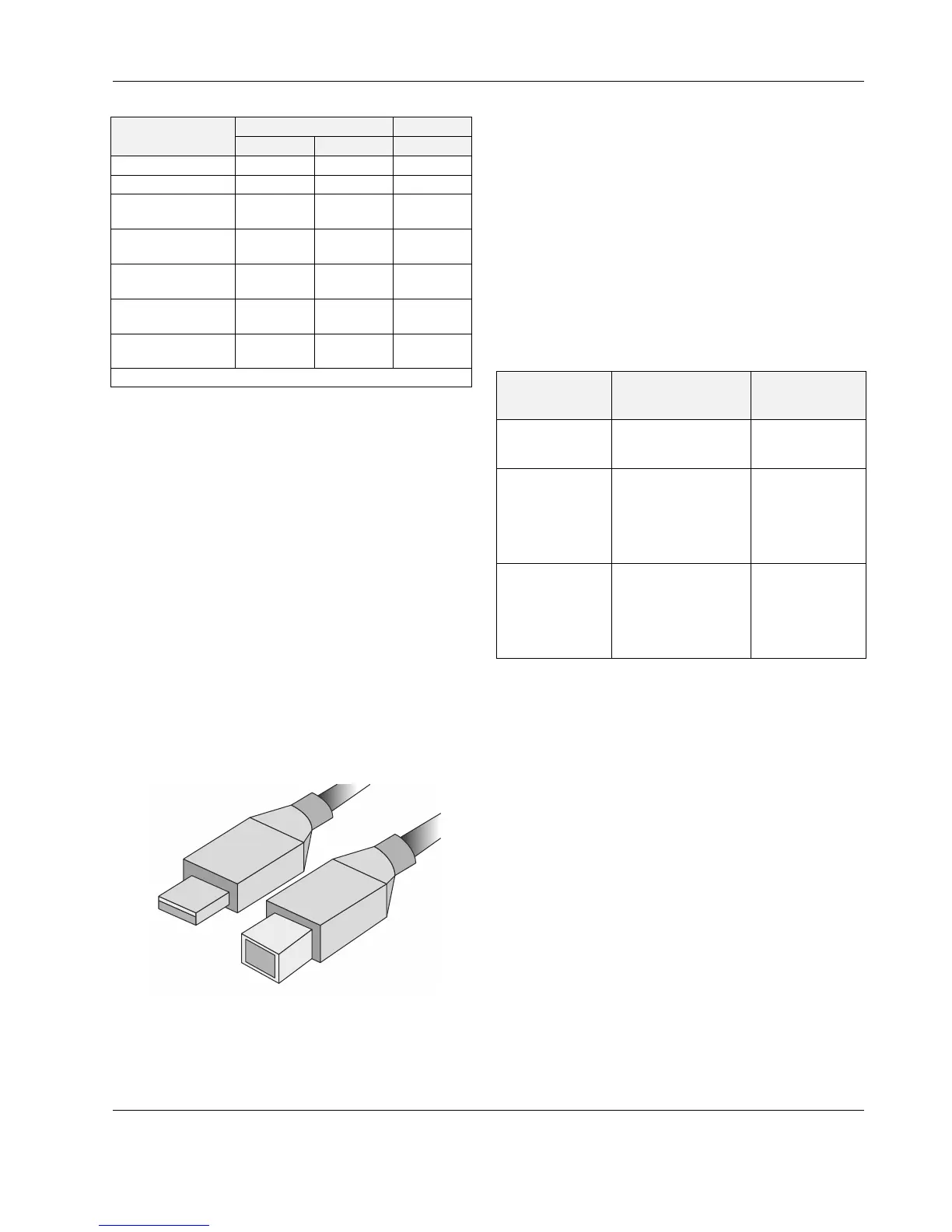
for downloading applications and firmware via CARE. An "A-
Male to B-Male" USB cable is required.
Fig. 33. A-male to B-male USB cable
For access via USB, the EAGLE Controller has a permanent
default IP address 192.168.255.241. Your PC's IP address
must match the EAGLE Controller's default IP address sub-
net: We recommend using DHCP or "Obtain an automatic IP
address".
Option 2: Standard Ethernet Interface
The standard IP address can be set in CARE. For this
purpose, connect first with the USB interface. In any case,
your PC's IP address must match the EAGLE Controller's
default IP address subnet. We recommend using DHCP or
"Obtain an automatic IP address".
Behavior of Outputs during Download
Table 19. Behavior of outputs during firmware download /
application download
analog, binary, and
floating outputs
output behavior during
firmware / Linux
download
output behavior
during application
download
onboard outputs
of EAGLE, itself
Outputs go to 0 / OFF.
Outputs remain in
the previous
position / state
outputs of Panel
I/O modules
(CLIOP82x)
As soon as "receive
heartbeat" (the value
of which CANNOT be
altered using CARE)
expires, outputs go to
safety position.
Outputs remain in
the previous
position / state
outputs of
L
ONWORKS I/O
modules
(CLIOL82x)
As soon as "receive
heartbeat" (the value
of which can be
altered using CARE)
expires, outputs go to
safety position.
Outputs remain in
the previous
position / state.
NOTE: These behaviors were determined using a test
application with a cycle time of 10 seconds. A
value update was triggered every 10 seconds.



 To Next Page