7
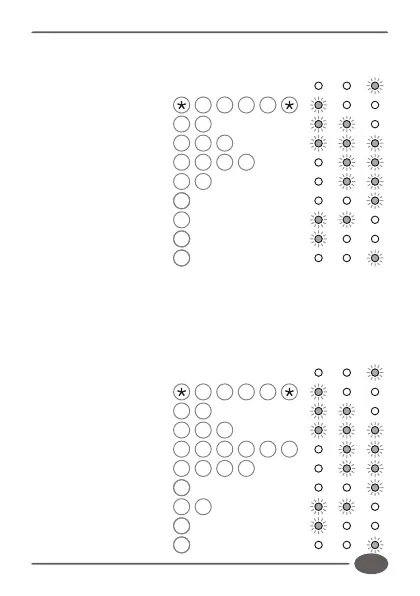
output 2. Code is valid forever. (Master code = 1234)
Enter Program mode 1 2 3 4
Select Add menu 1 #
Enter user address 1 0 #
Enter access code 5 2 7 #
Select outputs 2 #
Assign outputs #
Enter access limit #
Exit Add menu #
Exit Program mode #
Example:
Add access code 93523 into address 10. Code must operate
outputs 1 and 3. Code is valid for 2 uses. (Master code = 1234)
Enter Program mode 1 2 3 4
Select Add menu 1 #
Enter user address 1 0 #
Enter access code 9 3 5 2 3 #
Select outputs 1 # 3 #
Assign Outputs #
Enter access limit 2 #
Exit Add menu #
Exit Program mode #
INDICATOR LED's
INDICATOR LED's


 To Next Page