5
14
Sets the number of seconds for which keystrokes remain valid.
This ensures that if a partial code has been entered, it is wiped
out of the keypad buffer after a preset time, and must be re-
entered in its entirety. The clearing of the keypad buffer is
indicated by the keypad back light changing from bright (active)
to dim (standby). Default wipeout timer = 15 seconds.
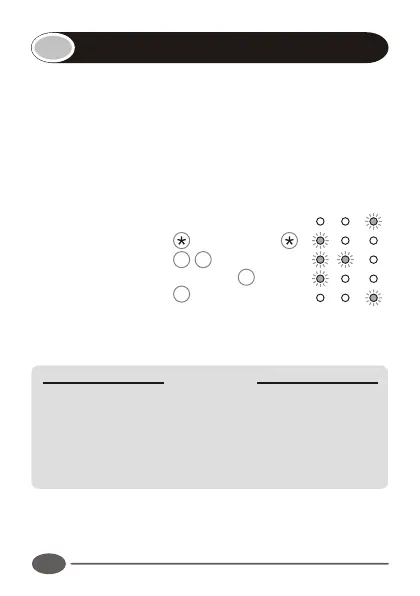
Enter the following keystrokes:
1. Enter Program mode Master Code
2. Select Wipeout menu 5 #
3. Enter Wipeout time Seconds #
4. Exit Program mode #
Notes:
!
If the Wipeout time is set to 0, key wipeout will be disabled.
IMPORTANT
Disabling the key wipeout timer will:
!
Compromise the security of the system.
!
Cause a code entry to be incorrectly recognised as a
WRONG CODE if an incomplete code was previously
entered.
!
If key wipeout is disabled, the keypad back light will remain
in bright mode.
Setting the key wipeout timer
INDICATOR LED's


 To Next Page