4
12
Sets the number of wrong access codes the unit will accept
before becoming inactive, and the time for which the unit will
remain inactive. Default number of wrong codes = 3. Default
reset time = 60 seconds.
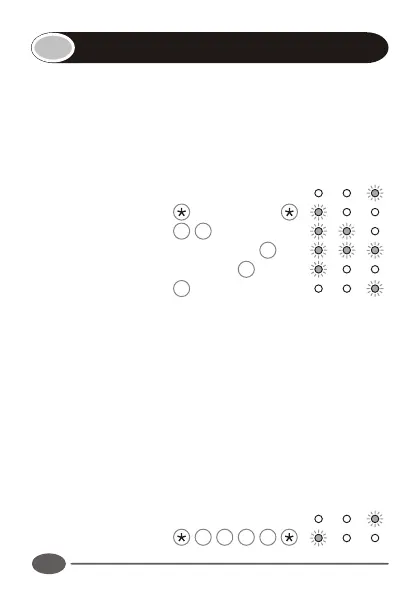
Enter the following keystrokes:
1. Enter Program mode Master Code
2. Select Lockout menu 4 #
3. Enter No. of codes Wrong Codes #
4. Enter Reset time Seconds #
5. Exit Program mode #
Notes:
!
If the Number of wrong codes is set to 0, the unit will
accept an unlimited number of wrong codes.
!
If the Reset time is set to 0, the unit can only be reset by
removing the power.
Example:
Set Wrong Code Alarm to activate after 5 incorrect codes
have been entered. Unit must reactivate after 30 seconds.
(Master code = 1234)
Enter Program mode 1 2 3 4
Setting the anti-hack parameters
INDICATOR LED's
INDICATOR LED's


 To Next Page